Designed a fintech checkout wallet for paying in your own currency




TL;DR
Hopwallet lets people pay a US dollar checkout in their own currency, such as rupees, euros, won or dirhams. It converts the money and the merchant receives exactly the dollar amount.
Hopwallet is a white-label product. Payment companies, neobanks, marketplaces, gaming platforms and money-transfer apps run it in their own checkout and put their own name, logo and colours on it. Hopwallet is the default theme.
I led the design of the customer flow, from email to receipt, and the default Hopwallet theme.
Role
- Lead Product Designer
Platform
- Embeddable widget
- Web
Year
- 2026
Problem
A customer in India or Vietnam finds a checkout that only takes US dollars. Their card may be switched off for international payments, or add fees on top.
Solution
A wallet that opens over the merchant's checkout: an account from an email and a code, a quote with the rate and the only fee, one approval, and a receipt.
Result
Hopwallet is live inside partners' checkouts in Cyprus and Singapore, under their own names. The merchant gets exactly the dollar amount.
Try it
Try the checkout yourself
Start here. Type any email and any four digits (0000 shows a wrong code), then pay the $100 in rupees. Nothing is charged, and the rest of the page walks through each screen.
$100
Pay merchant
Checkout
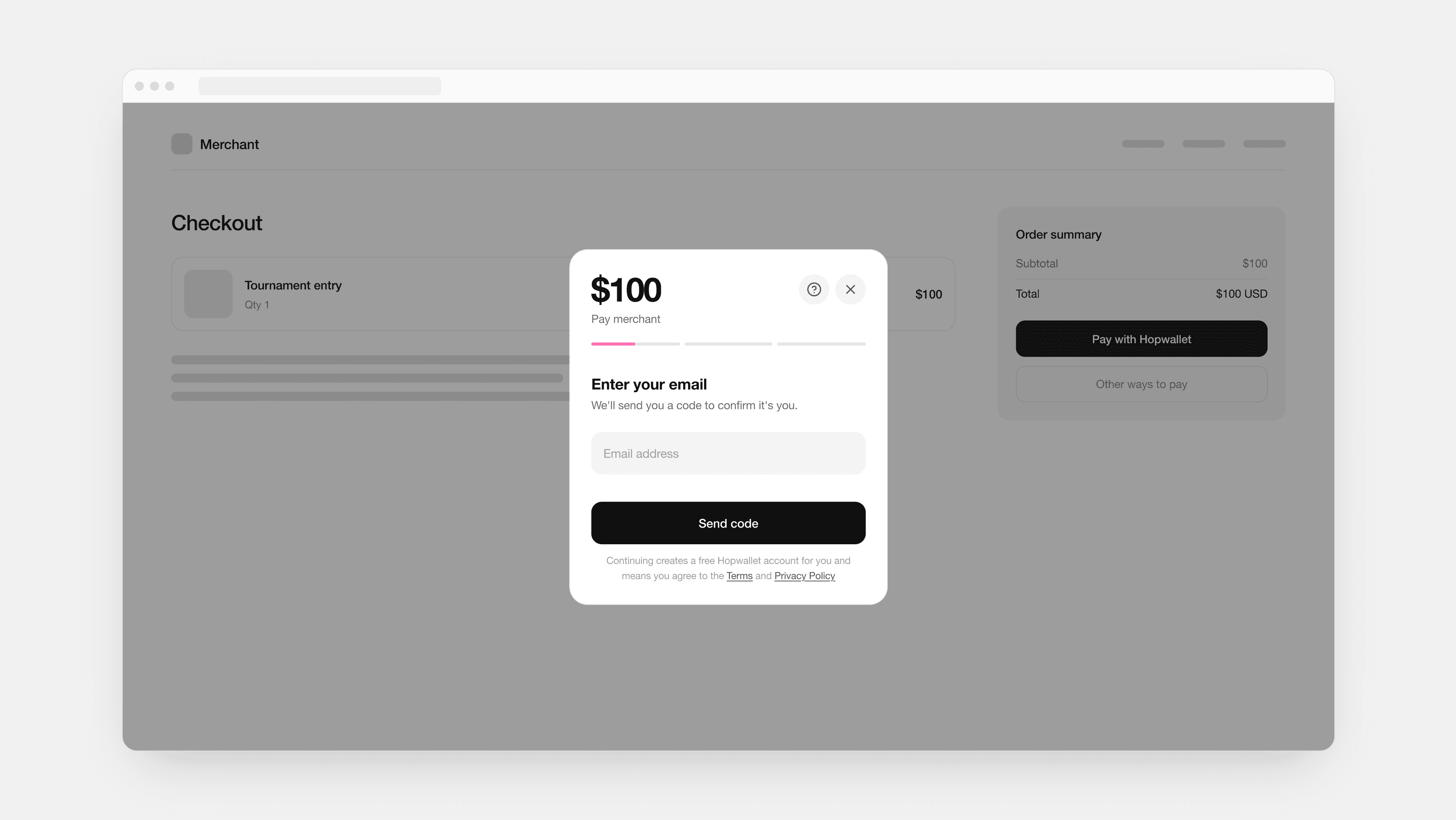
The dollar amount stays on top
Hopwallet opens over the merchant's own checkout, as a panel on a computer and from the bottom of the screen on a phone. The $100 stays at the top of every screen, with a short status note and a three-part colour bar that shows how far along you are. You always know what the merchant gets, whatever currency you pay in.
Challenge
What if the checkout only takes dollars?
Think of a marketplace, or a smaller gaming platform that charges tournament entry fees and in-game items only in US dollars. The customer has rupees and a card that may not work abroad.
The constraints were plain:
- It opens inside someone else's checkout, so it has to be short.
- Most customers have no account yet, and make one in the middle of paying.
- The card step belongs to a licensed card partner, not to Hopwallet.
- Every business that runs it changes the logo and the colours.
- ID rules differ by market, and a licensed partner sets them.
So every screen had one job: show what you pay and what the merchant gets.
Why not the bank
Many cards stop at the customer's bank
In India, new cards have international payments switched off until you turn them on, and many add about 3.5% plus tax on that fee. In Vietnam, many debit cards only work inside the country. In Europe, cards work, but foreign payments are declined more often than local ones.
A bank wire is no way round it. It can cost $35 to $50, plus fees from banks in the middle, takes a few working days, and checkouts don't take wires.
Hopwallet works differently: a licensed partner collects the money inside the customer's country, so the bank sees a normal local payment.
Why not the merchant
Each country pays in its own way
Every country has its own cards, bank transfers and e-wallets. Merchants don't want to set up local payment deals and licences in 30 countries, or carry the currency risk. Foreign cards are declined more often, and every decline is a lost sale.
With Hopwallet the merchant adds one button and gets dollars. Customers meet it inside the checkouts and apps of the businesses that run it, under that business's name.
Step 1 · Account
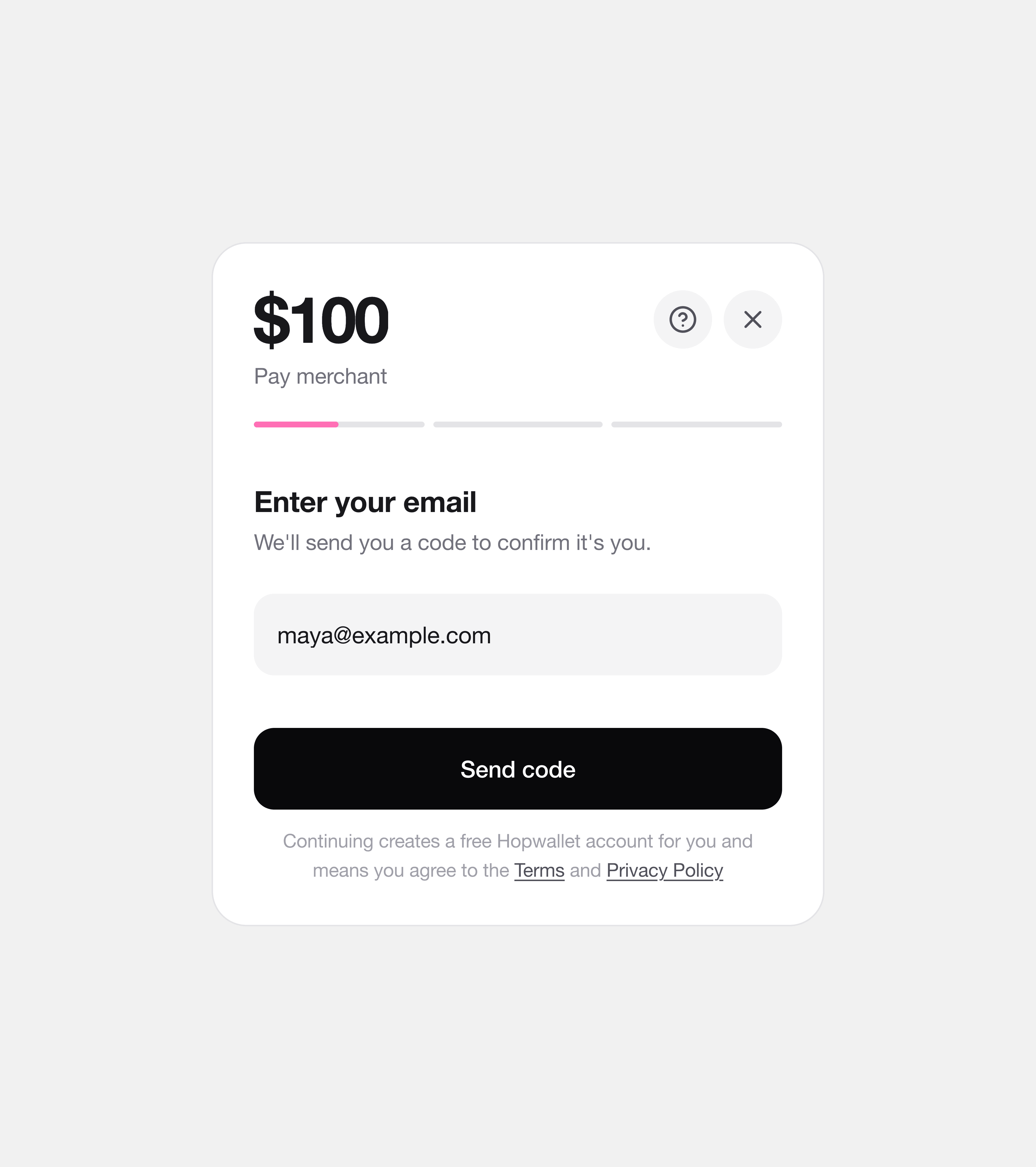
An email and a code open the account
A password in the middle of a payment is one more thing to stop on. So the first screen asks only for an email: “We'll send you a code to confirm it's you.” One line under the button says that continuing creates a free Hopwallet account.
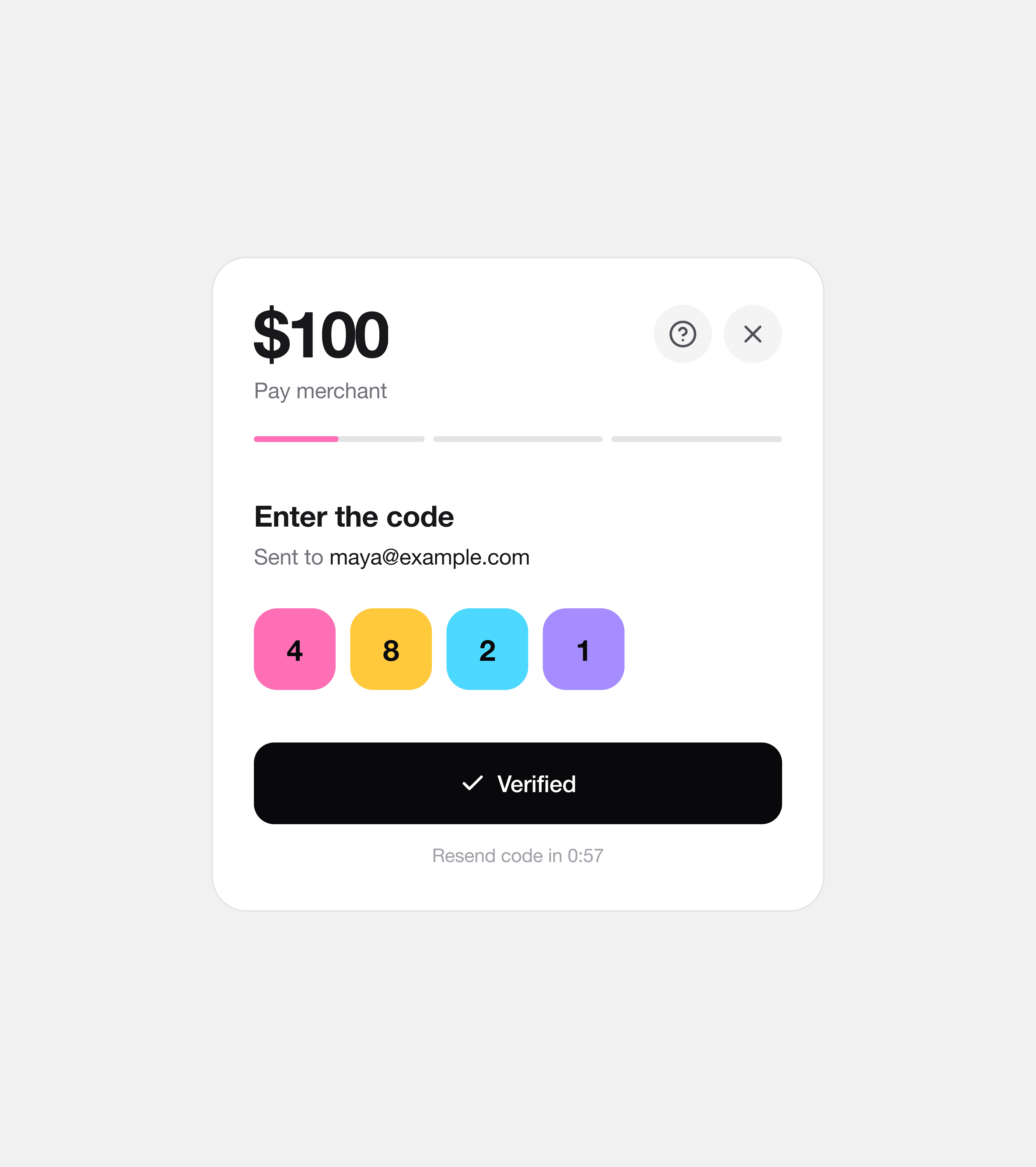
The code checks itself on the fourth digit. Each digit fills with its own colour once it's verified, so you see it worked before the next screen slides in.
Step 2 · Quote
You see the rate and fee before paying
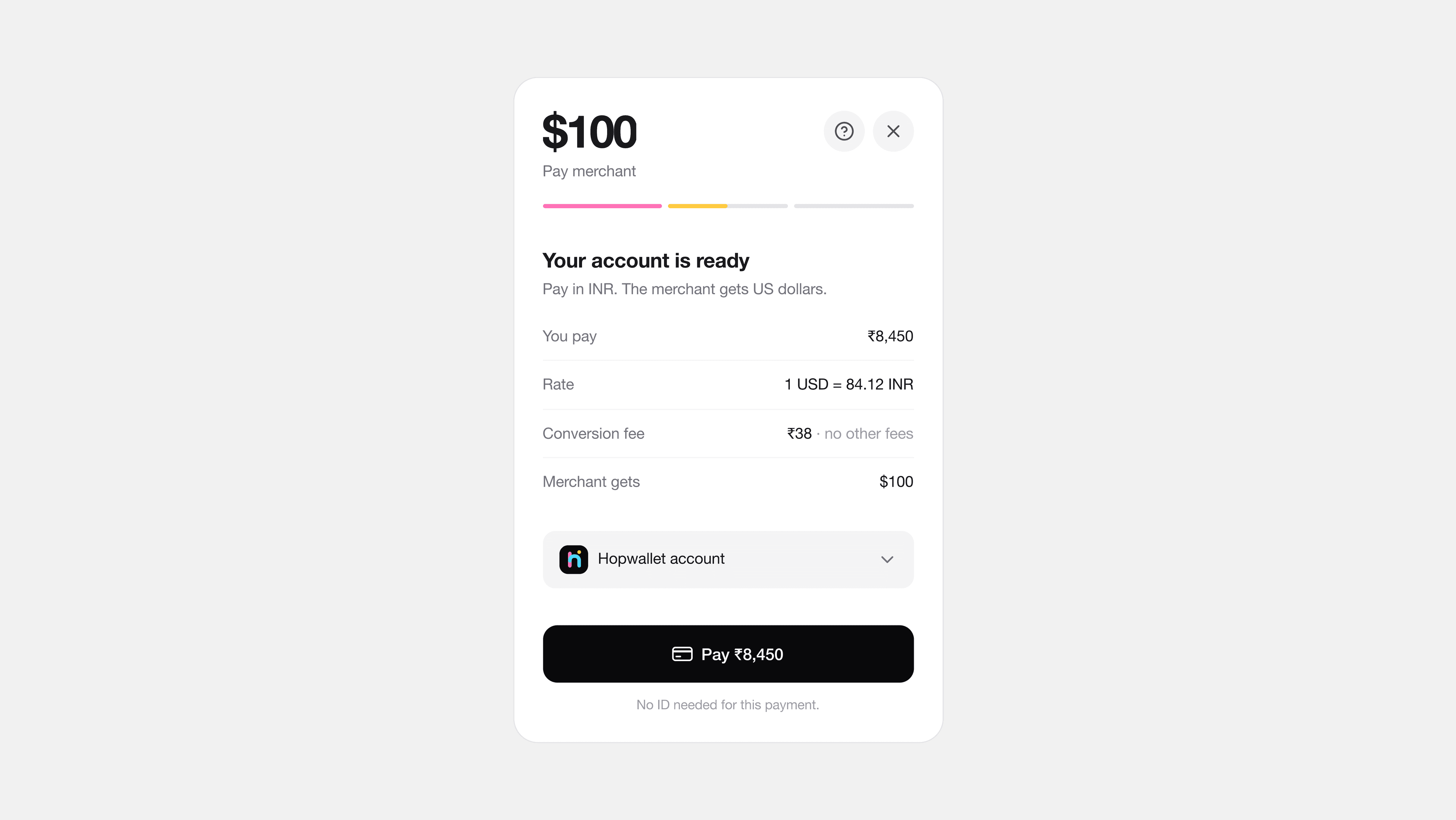
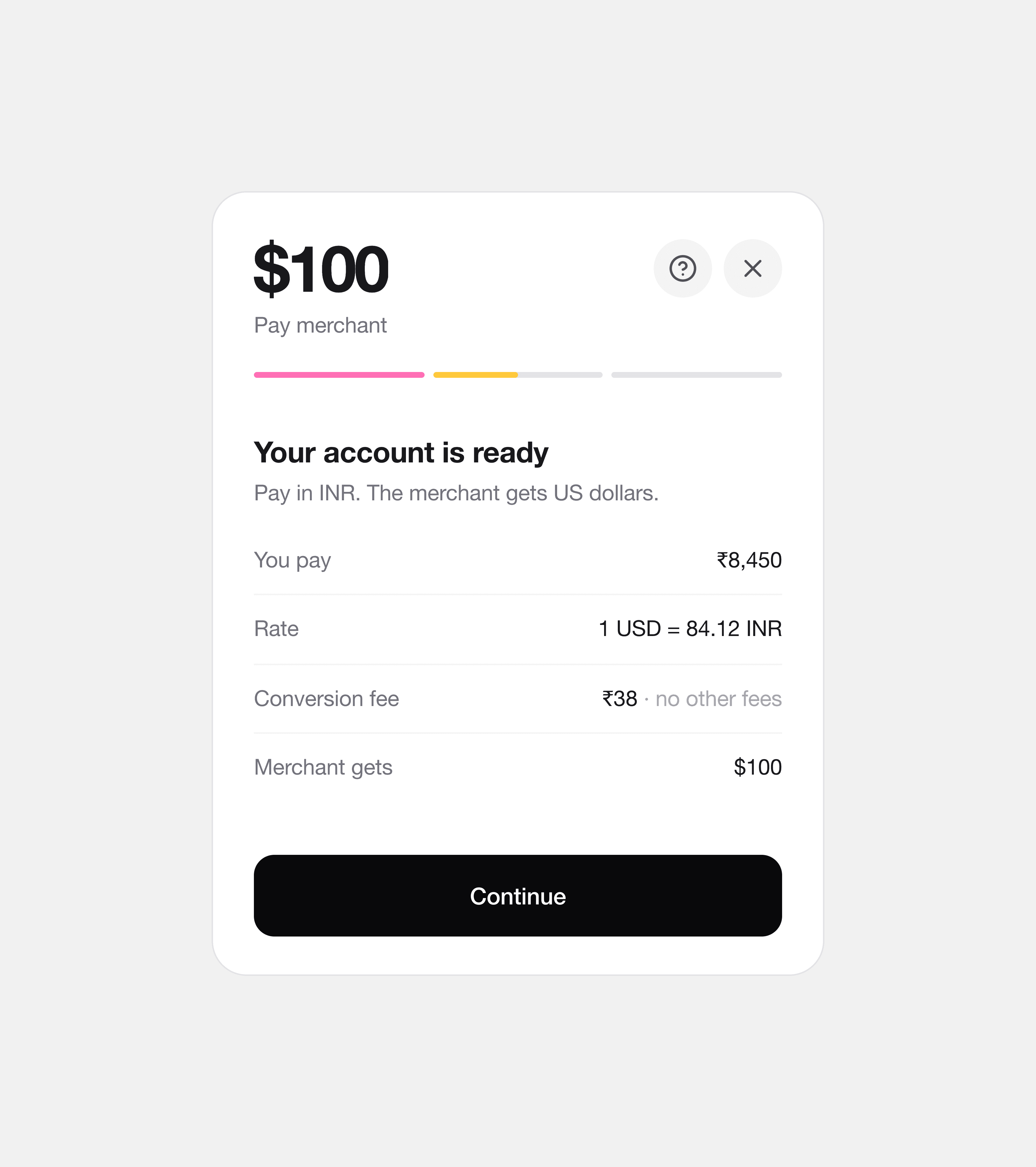
“Your account is ready” opens on the quote: You pay ₹8,450, the rate, a ₹38 conversion fee with no other fees, and Merchant gets $100. Hopwallet's only fee is the conversion fee, and it shows before you reach the card.
I considered a review screen, then a confirm button. I chose one button on the quote, Pay ₹8,450, because the quote already is the review.
Under the button, one line says “No ID needed for this payment.” Small payments don't ask for an ID document; the bank's card check and the licensed partner's rules cover the rest.
Step 3 · Paying
A bar fills as rupees become dollars
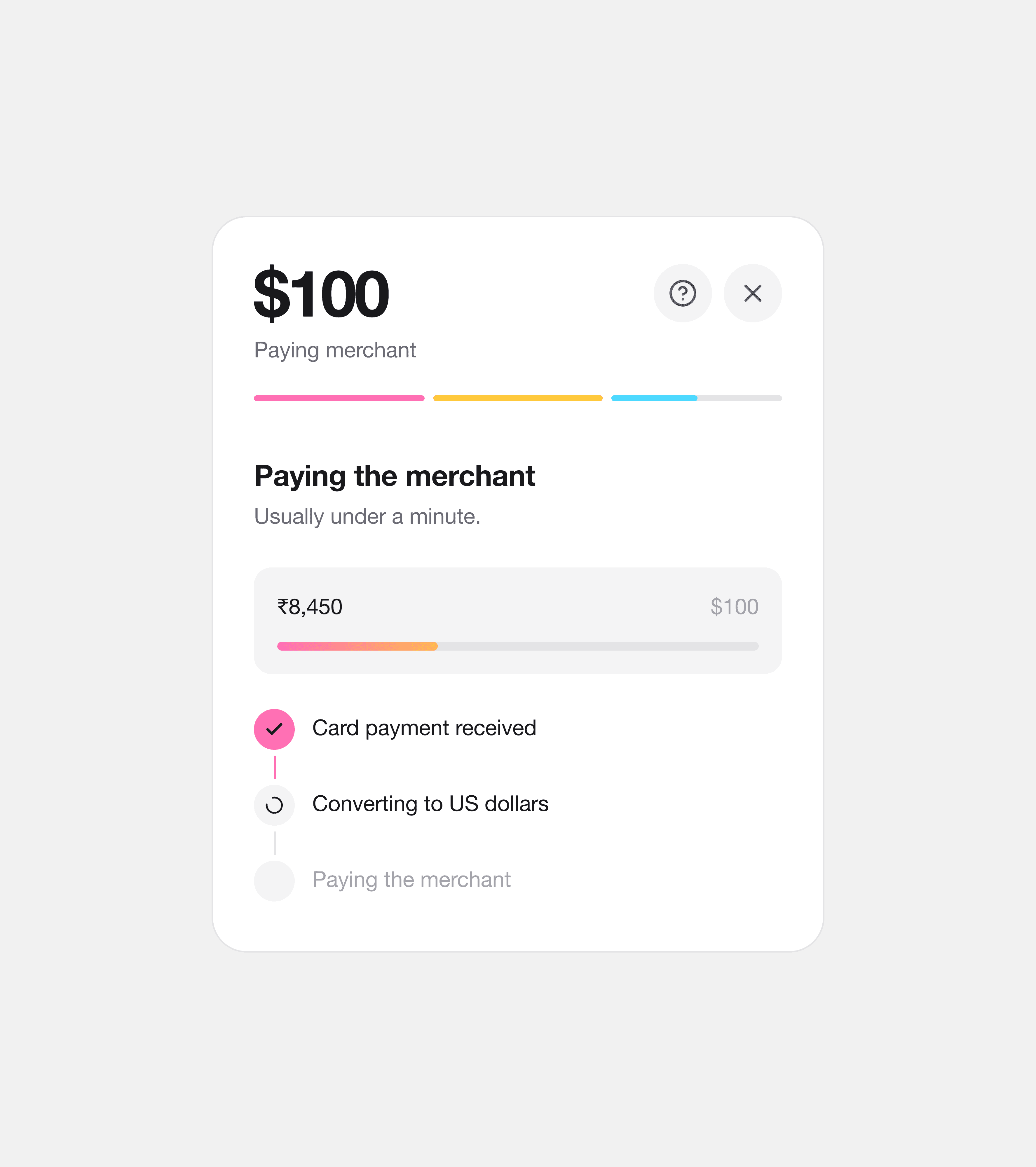
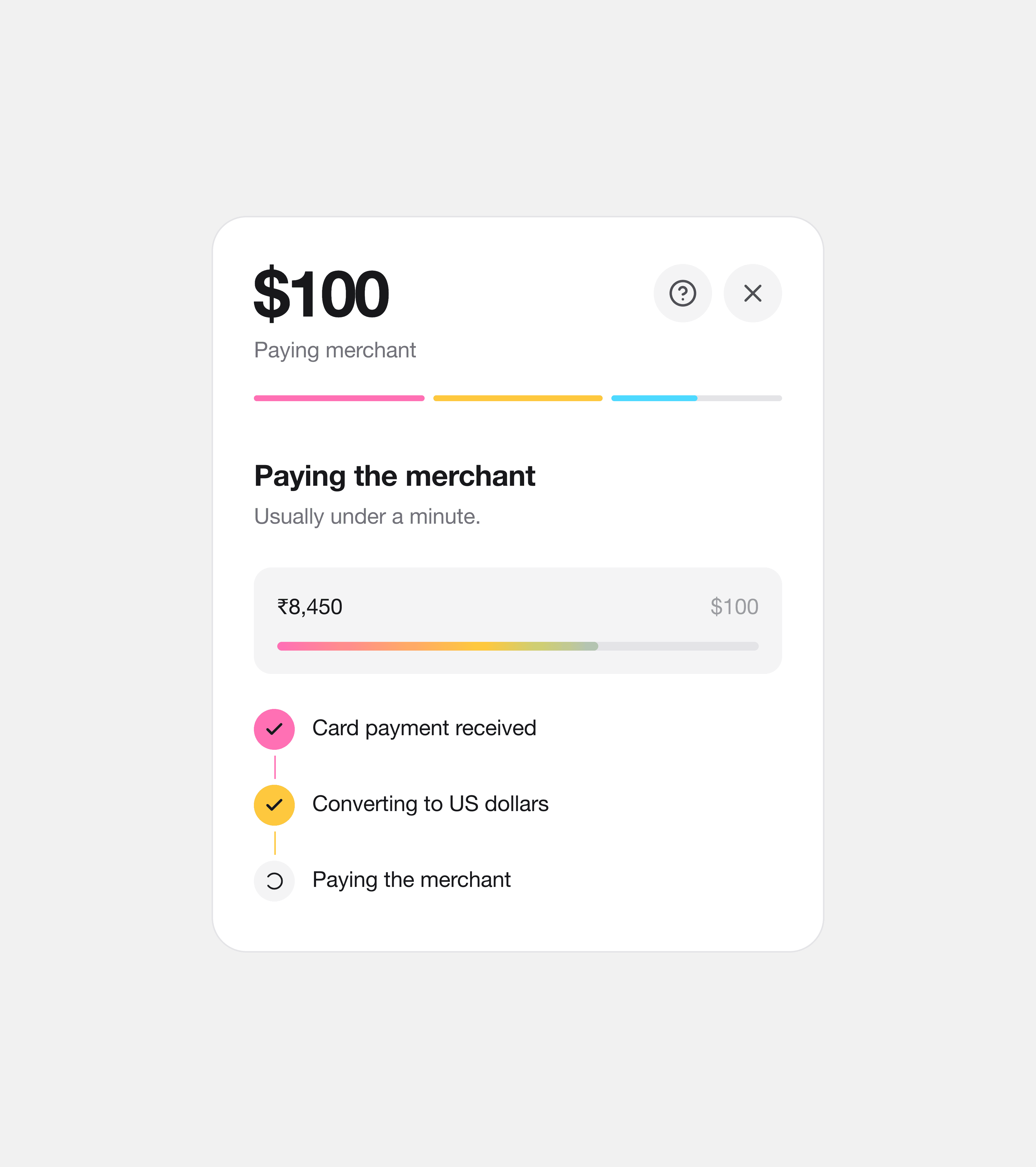
After the card partner's own step, “Paying the merchant” shows the money move. A bar fills from ₹8,450 to $100 in the brand colours, and three lines tick off: Card payment received, Converting to US dollars, Paying the merchant. You can see which part is happening, so the wait doesn't feel like a freeze.
Step 4 · Done
The receipt shows what the merchant got
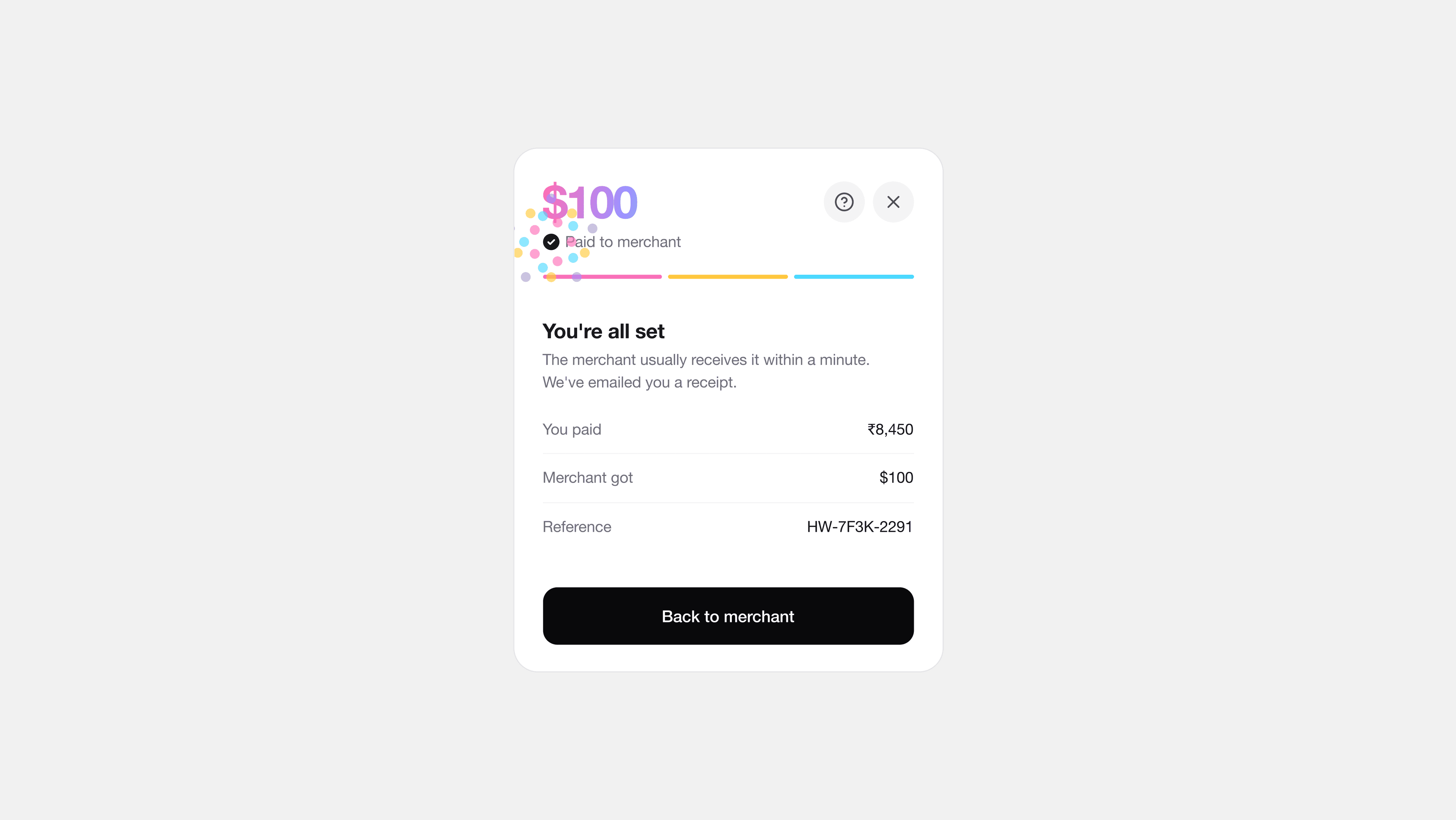
“You're all set” lists what you paid, what the merchant got and a reference, with a burst of the four colours. The receipt goes to your email, so you have the reference if the merchant or support ever asks. One button takes you back to the merchant.
Leaving and help
I put help in one place only
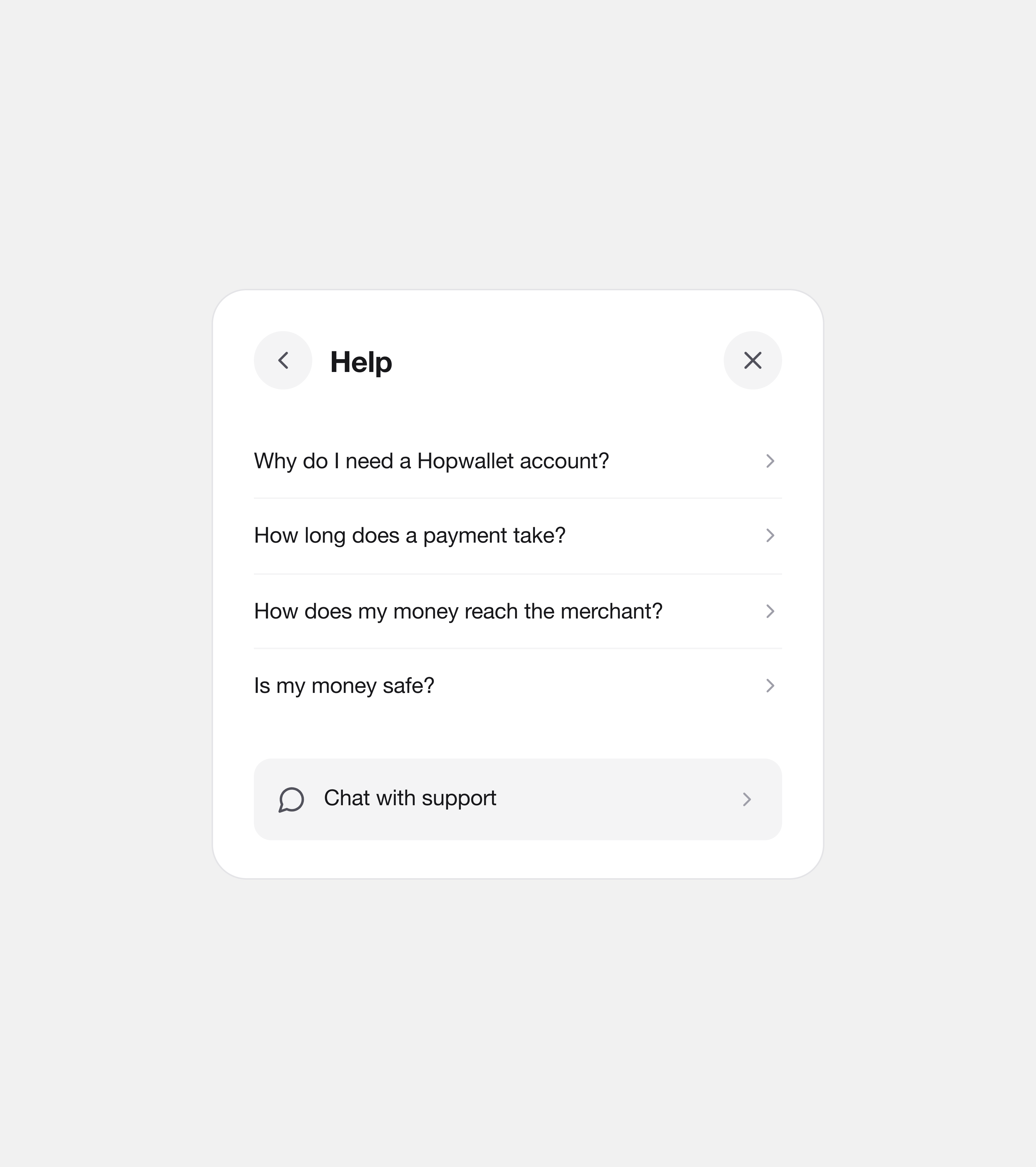
Help is a single “?” next to the close button: four short articles and Chat with support. I considered help links on each screen. I chose one place, because people learn where it is once and the quote stays clear.
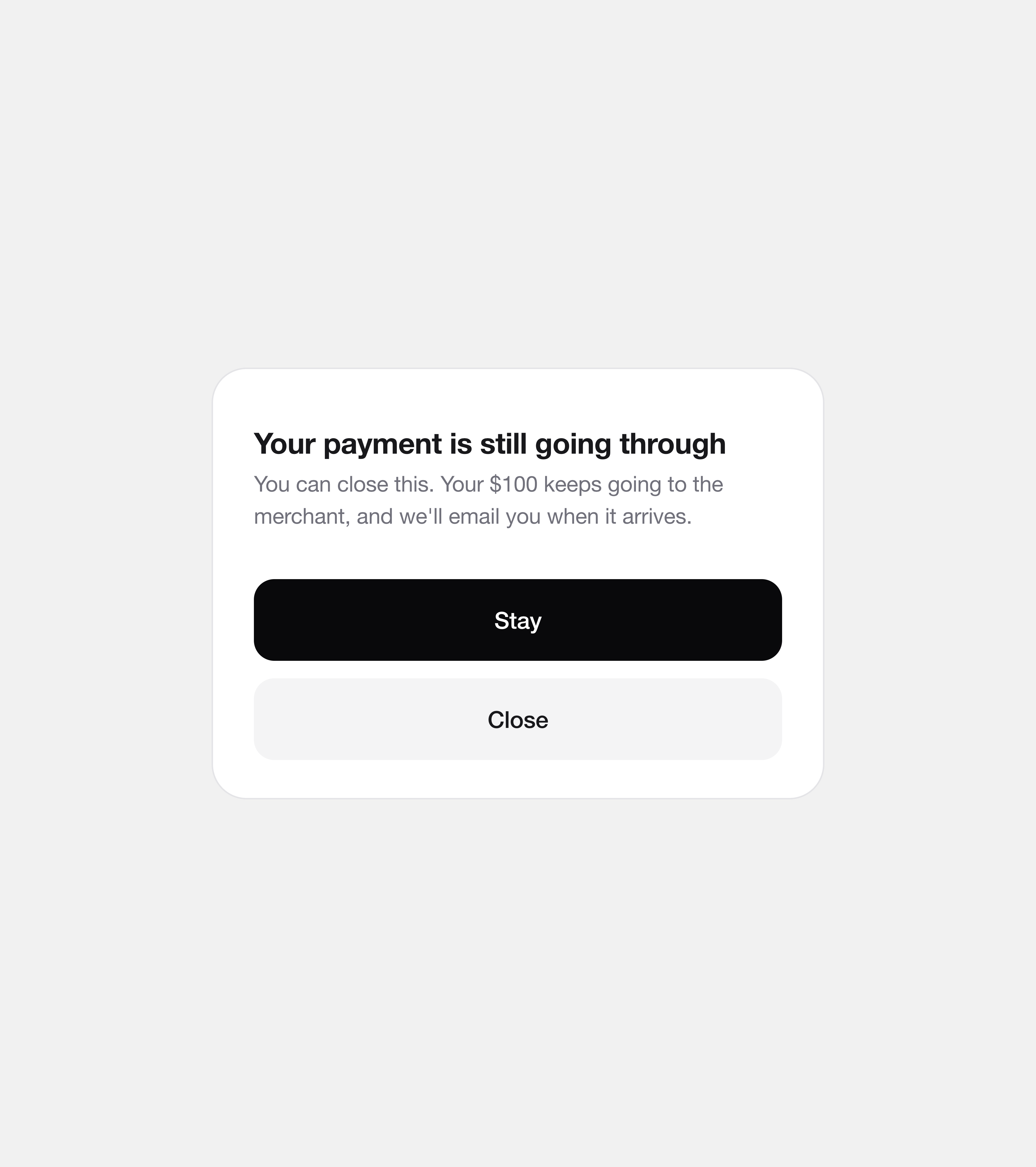
Leaving is honest about what it costs. Before you pay, it asks “Leave this payment?” While paying, it says “Your payment is still going through” and that you can close the window safely.
White labeling
Any company can make it their own
Hopwallet is purely a white-label product. A business changes the name, logo, colours, button and corners, and the whole flow follows: the code digits, the progress bar, the conversion bar and the burst at the end.
Partner versions are under NDA, so make your own version here instead. Pick a preset or change anything, and the checkout updates as you go.
Preset
Logo
Colours
Corners
Colour effects
Colour bands between screens, the burst and the colour amount at the end.
$100
Pay merchant
What I learned
A second approval felt like a bug
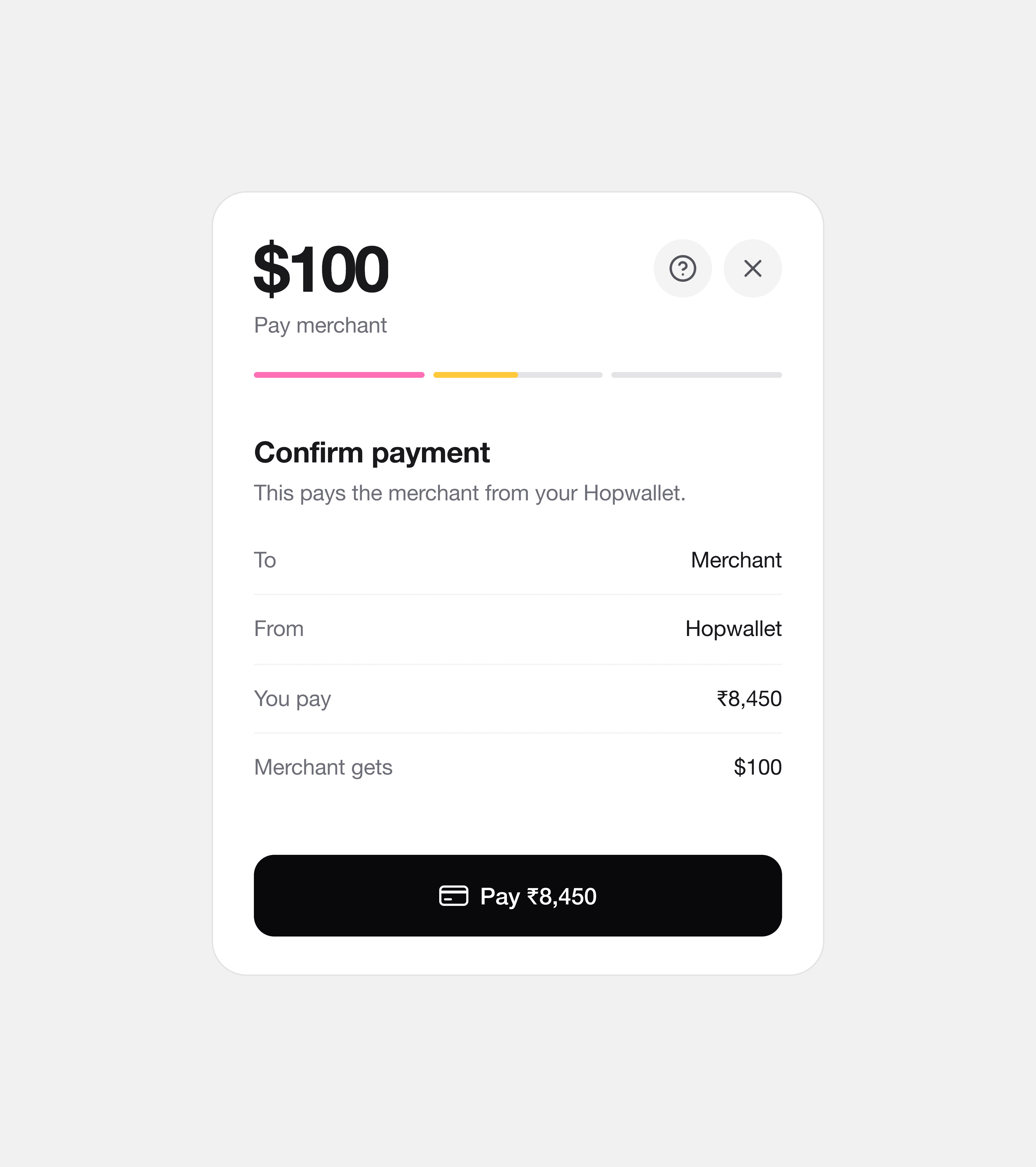
The first version asked twice: Continue on the quote, then Pay on a confirm screen that showed the same numbers again.
With the rate and the fee already on screen, asking again didn't make the payment safer. It read as if the first tap hadn't worked. Showing the cost up front is what let me take steps out.
What's next
The next screens cover what can go wrong
Next come the screens for when the bank declines the card, a way to use a different email, refunds and disputes, and what happens when a rate expires.
Outcome
Hopwallet is live in partners' checkouts
Payment companies in Cyprus and Singapore with customers around the world use it to collect payments that geo-restrictions used to block.
The product is under NDA, so partner names and numbers can't be shown. I'm happy to talk through the details.
For customers
Pay a dollar checkout in their own currency, with the rate and the only fee shown first.
For merchants
One button, and exactly the dollar amount, without local payment deals in each country.
For partners
A checkout wallet they run as their own, with their name, logo and colours on every screen.