Designed Rampnow Admin Console, an internal tool for ops and compliance




TL;DR
Every crypto order touches a customer, a partner, an exchange and a blockchain, and Rampnow's team had to piece them together from raw tables.
I designed the console they use instead, including the order record that traces every step of the money, the risk and status controls for customers and wallets, and the payout view for partners. I was the only product designer, and it was my first project at Rampnow.
Role
- Product Designer
Scope
- Admin console
- Partner portal
- Design specs
Platform
- Web
Year
- 2024–2025
Problem
The old console kept everything in plain tables. Answering one support question, where is this customer’s money, meant opening several of them, matching IDs by hand and often asking a developer.
Solution
One pattern for every object: a list to find it, a record to act on it. Orders, customers, wallets and payouts all work the same way, so learning one page teaches the rest.
Result
The console is in use by Rampnow’s ops, compliance and finance teams, and partners such as xRocket follow their own orders through the same screens.
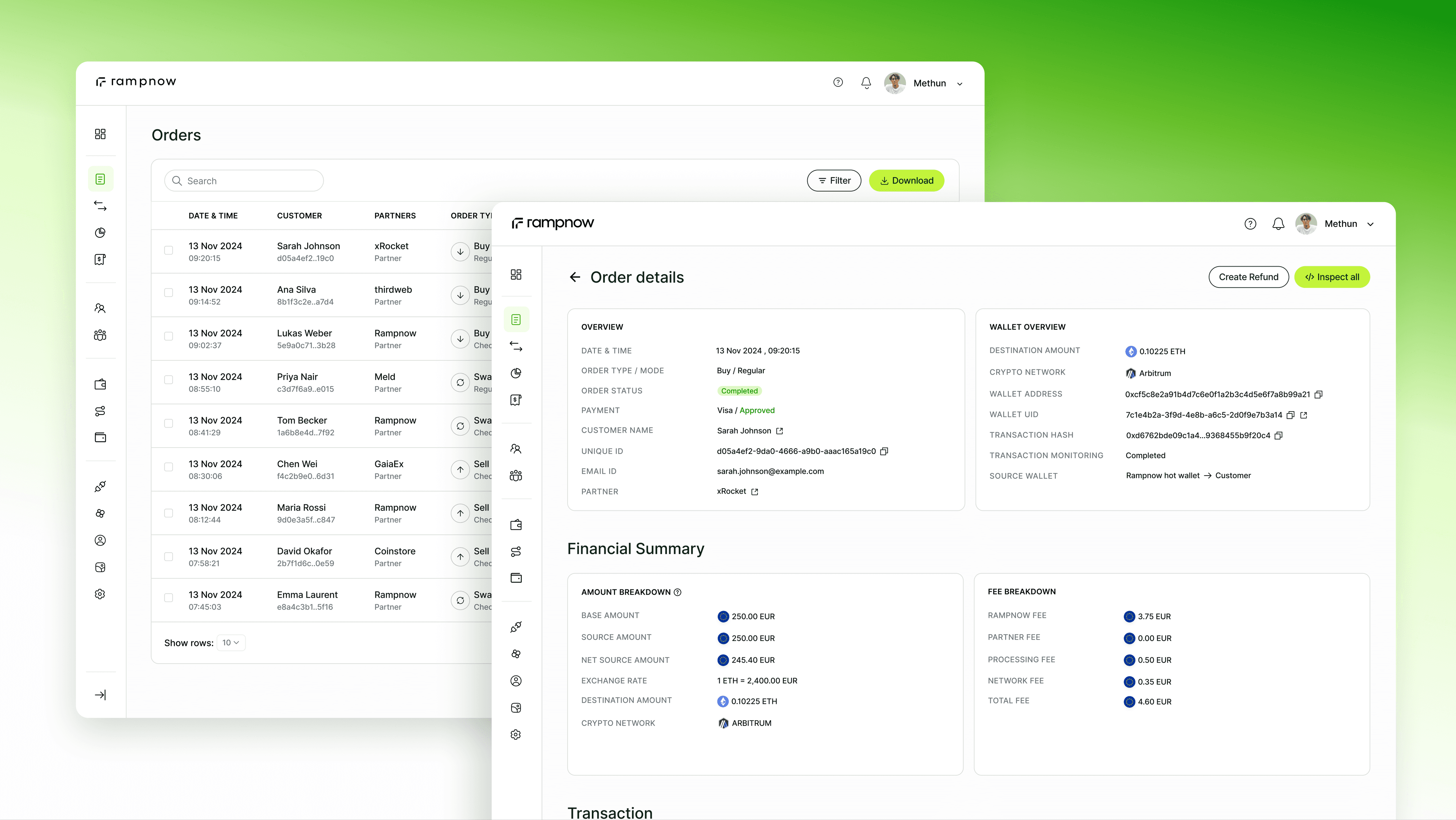
The Rampnow admin console
The question
Where’s the customer’s money?
Take one ticket: a customer says their crypto never arrived. Support had to find the order in one table, the customer in another, then the wallet and the transfer, and often ask a developer to connect them.
Support asks where an order is. Compliance asks if it's safe. Finance asks if the sums add up. Partners ask the same questions about their own orders. The data was all there. The answers weren't.
So I built the console on one rule: every object gets the same two pages, a list to find it and a record to act on it.
Layer 1 · Lists
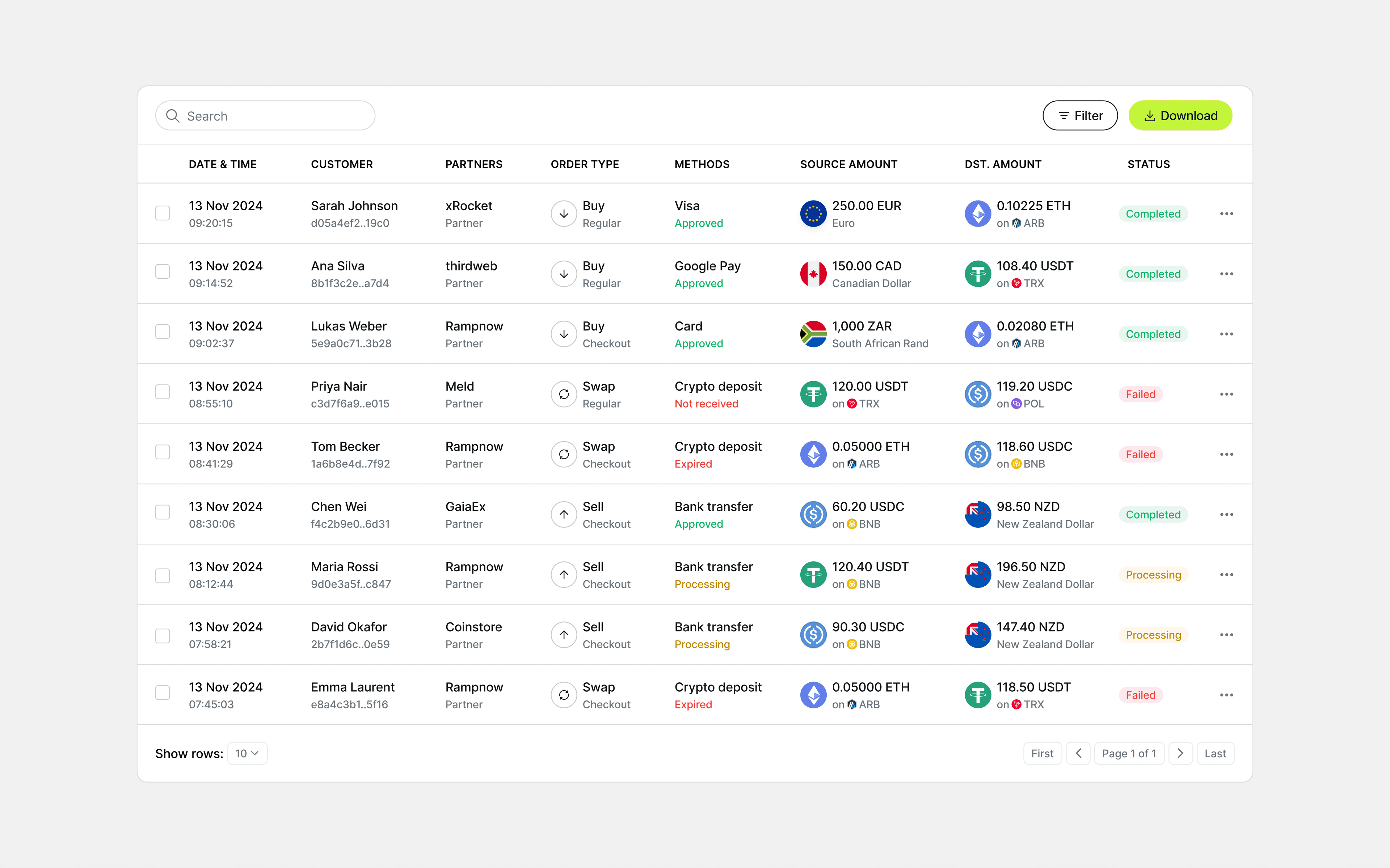
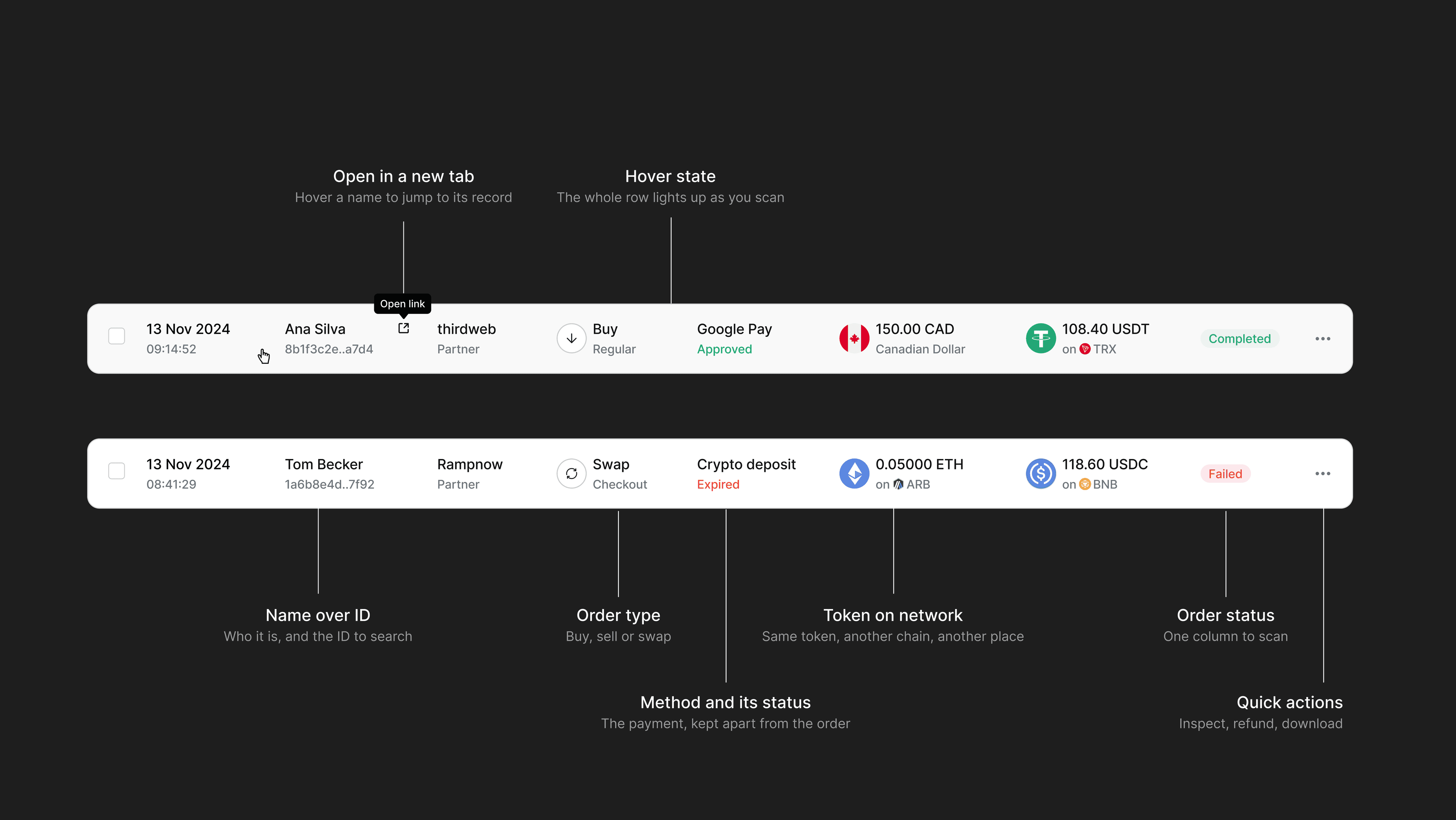
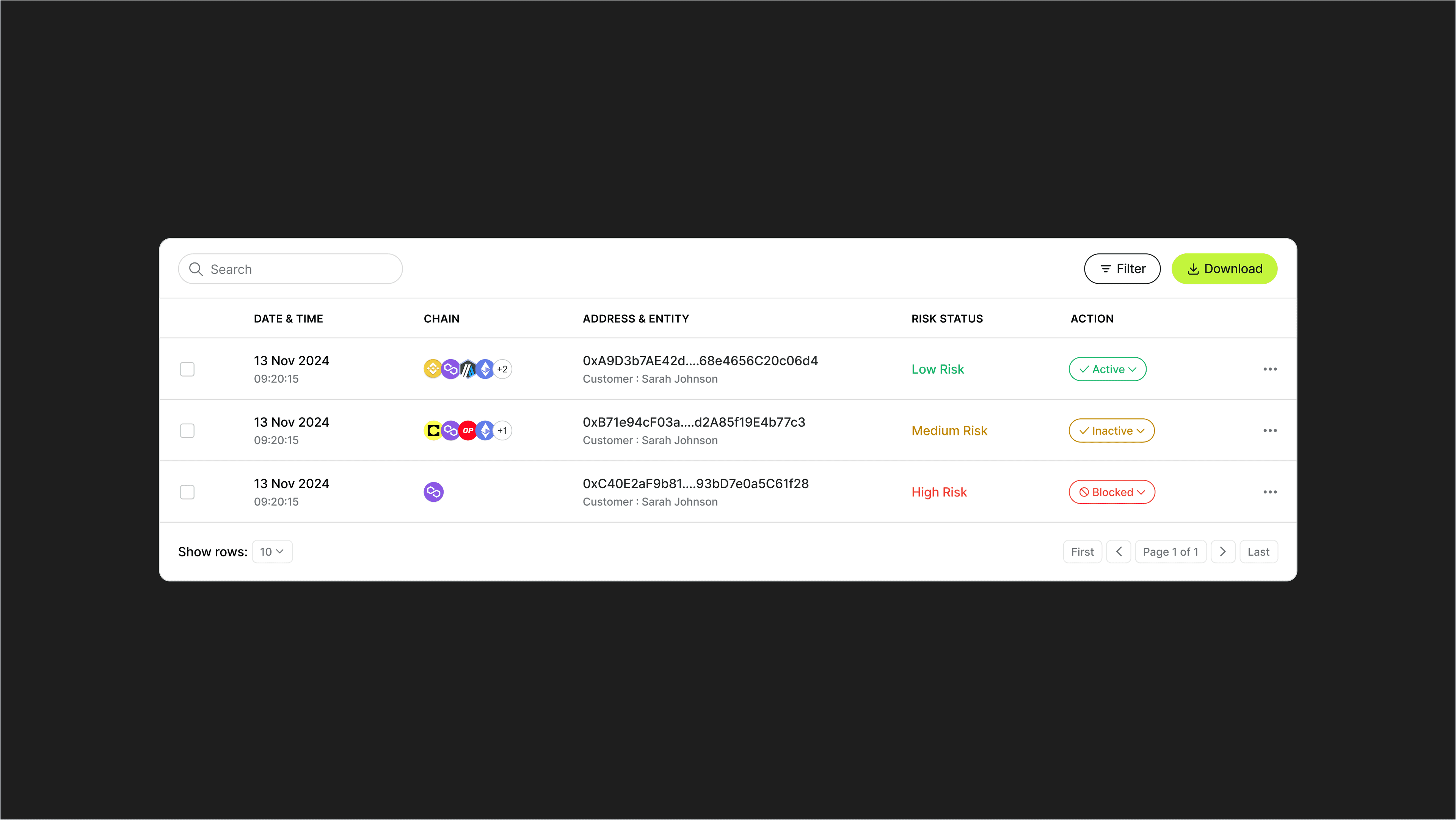
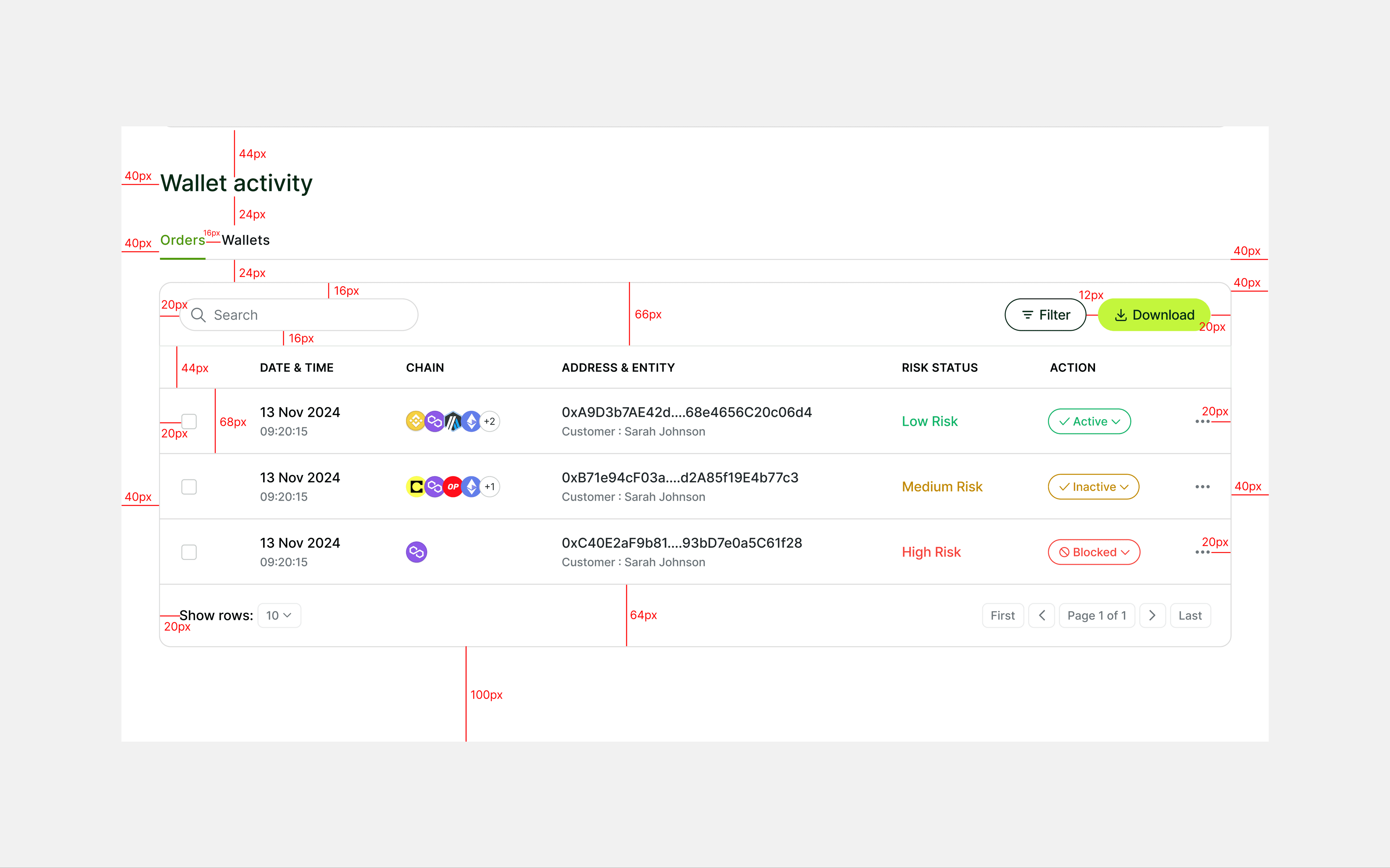
Every cell holds two lines
Rows get scanned, not read, so the main value sits on top and its context underneath: date over time, name over ID, token over network. That fits twice the information without adding columns. Every asset reads “token on network”, because the same USDC on two chains is money in two different places.
I compared three list formats. The longest gave every field its own column and pushed the table sideways. I chose two-line cells with status in its own column, because status is what people scan for first.
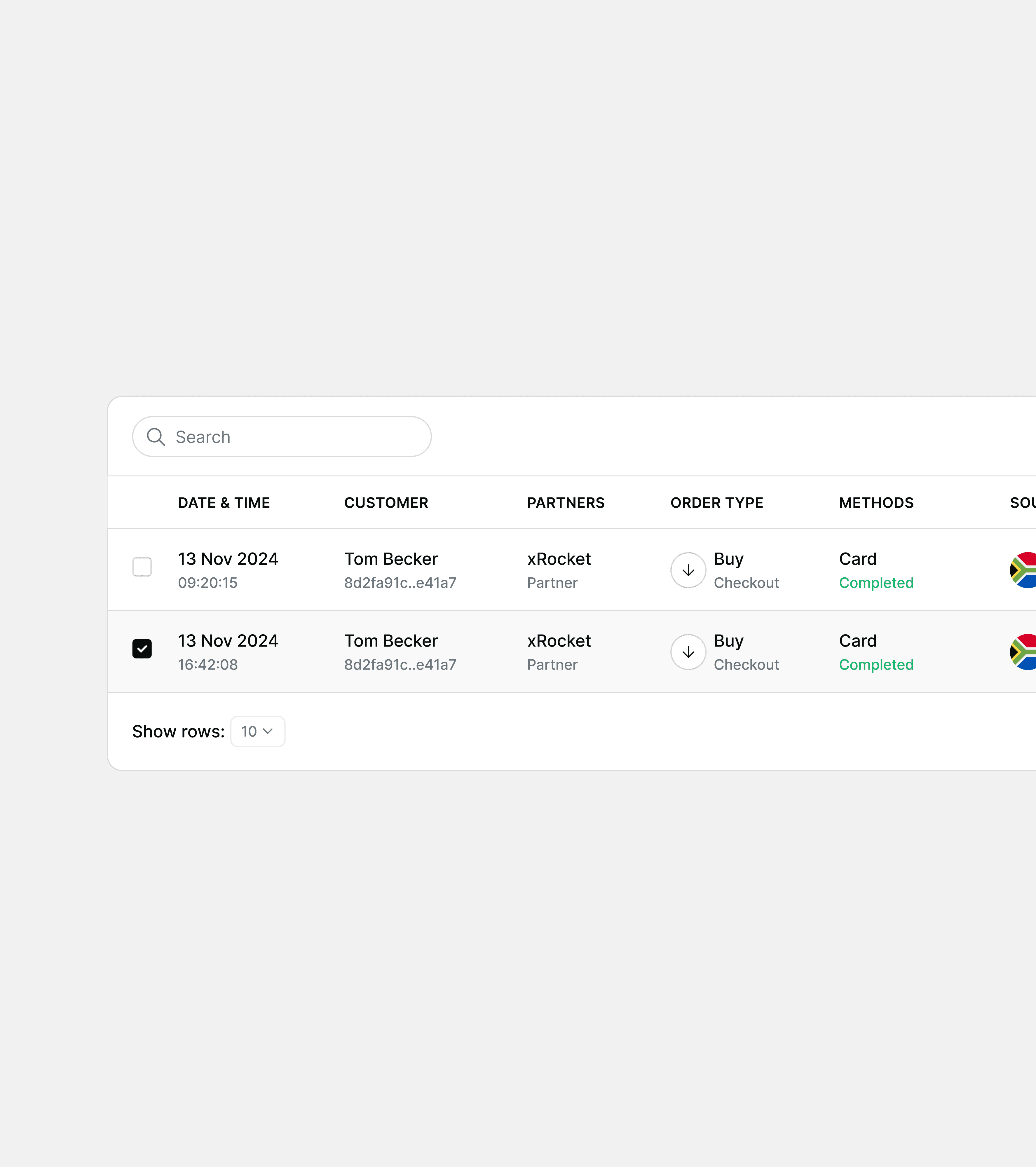
I also tried splitting buy and sell into tabs. I chose one list with an order type column, so a customer's whole history stays in one place.
Layer 2 · The order record
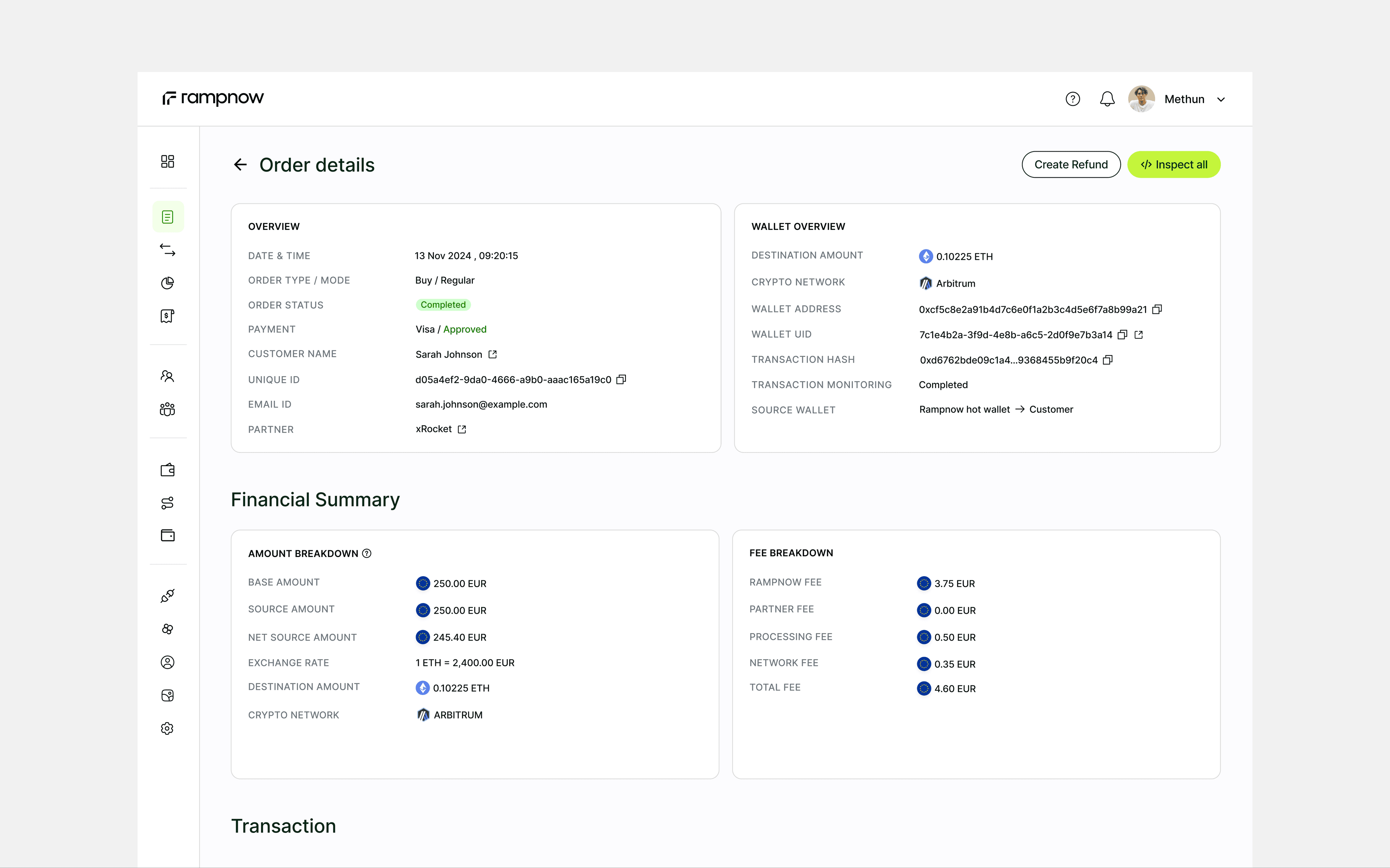
The order page follows the money
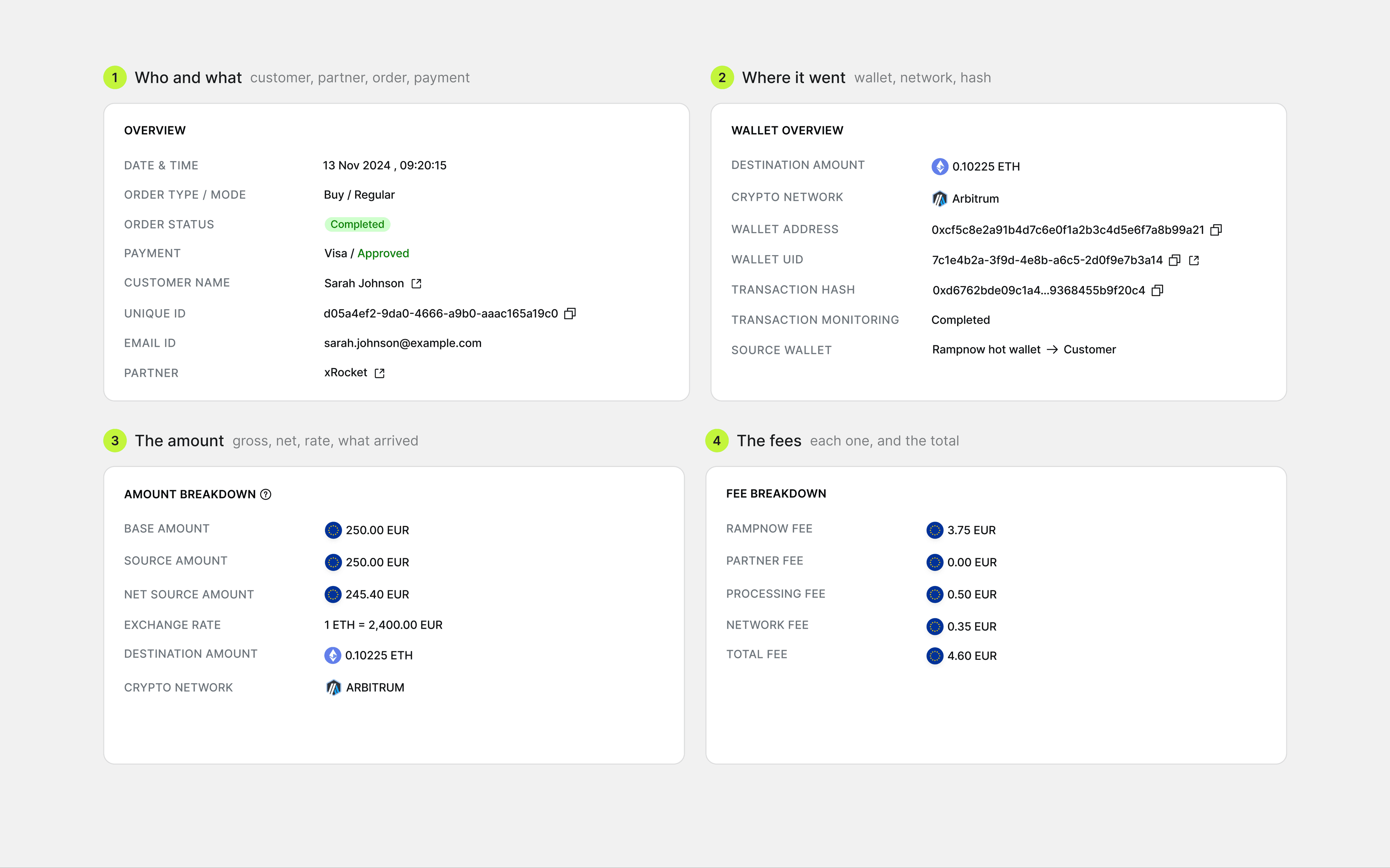
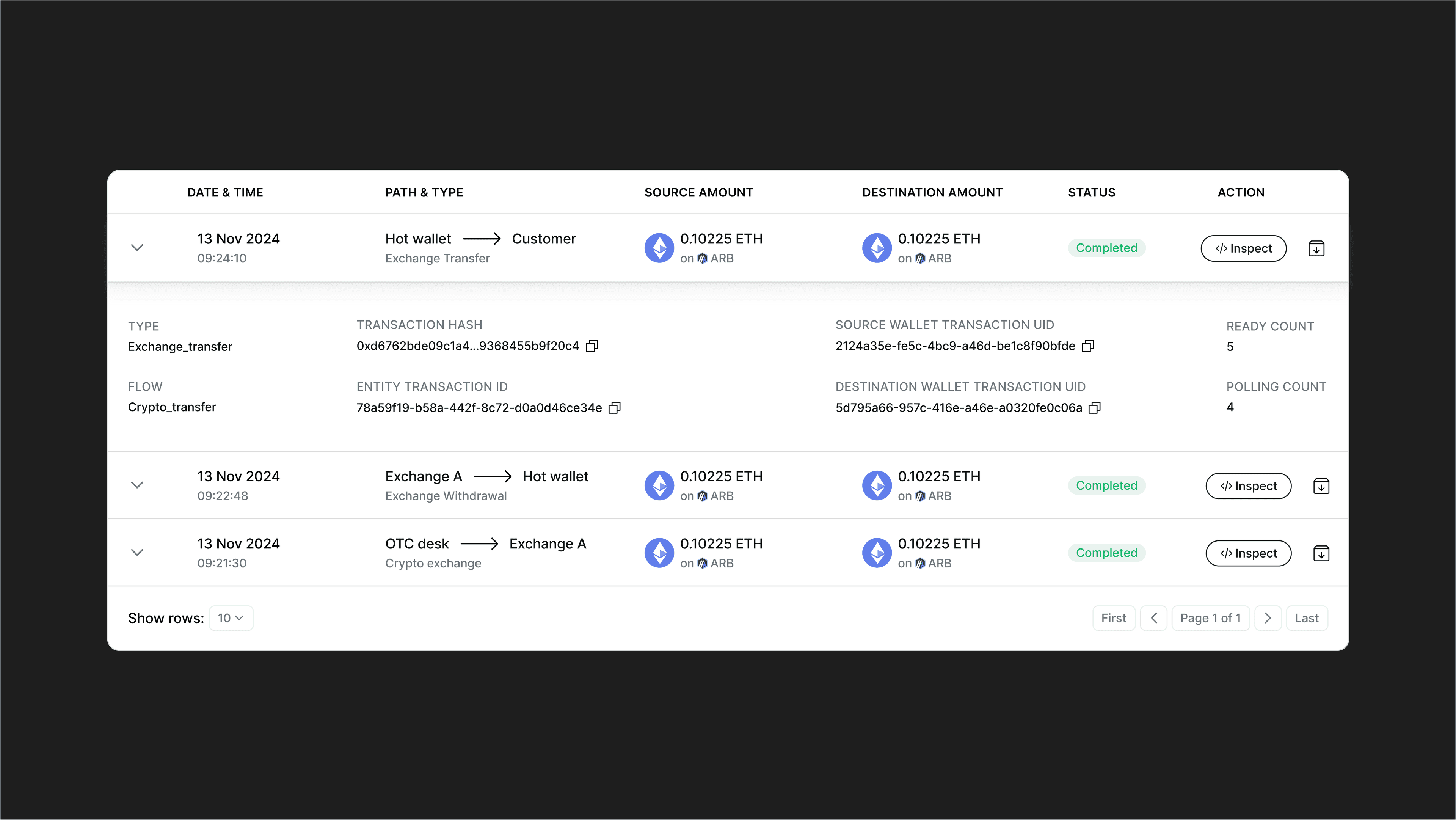
Support opens an order to find out where the money is. The top row says who and what, next to where it went: customer, partner and status beside the wallet, network and hash. The middle puts the amount next to the fees, so gross minus fees equals net at a glance. The bottom lists every step the money took, and each step opens to show the IDs engineers need.
Every hash, address and ID can be copied or opened in a new tab, because people paste them into tickets and block explorers all day. Refund and chargeback sit top right, for after you've read the page.
I considered tabs for overview, money and steps. I chose one page, because a support check needs all three at once.
Layer 3 · Customers
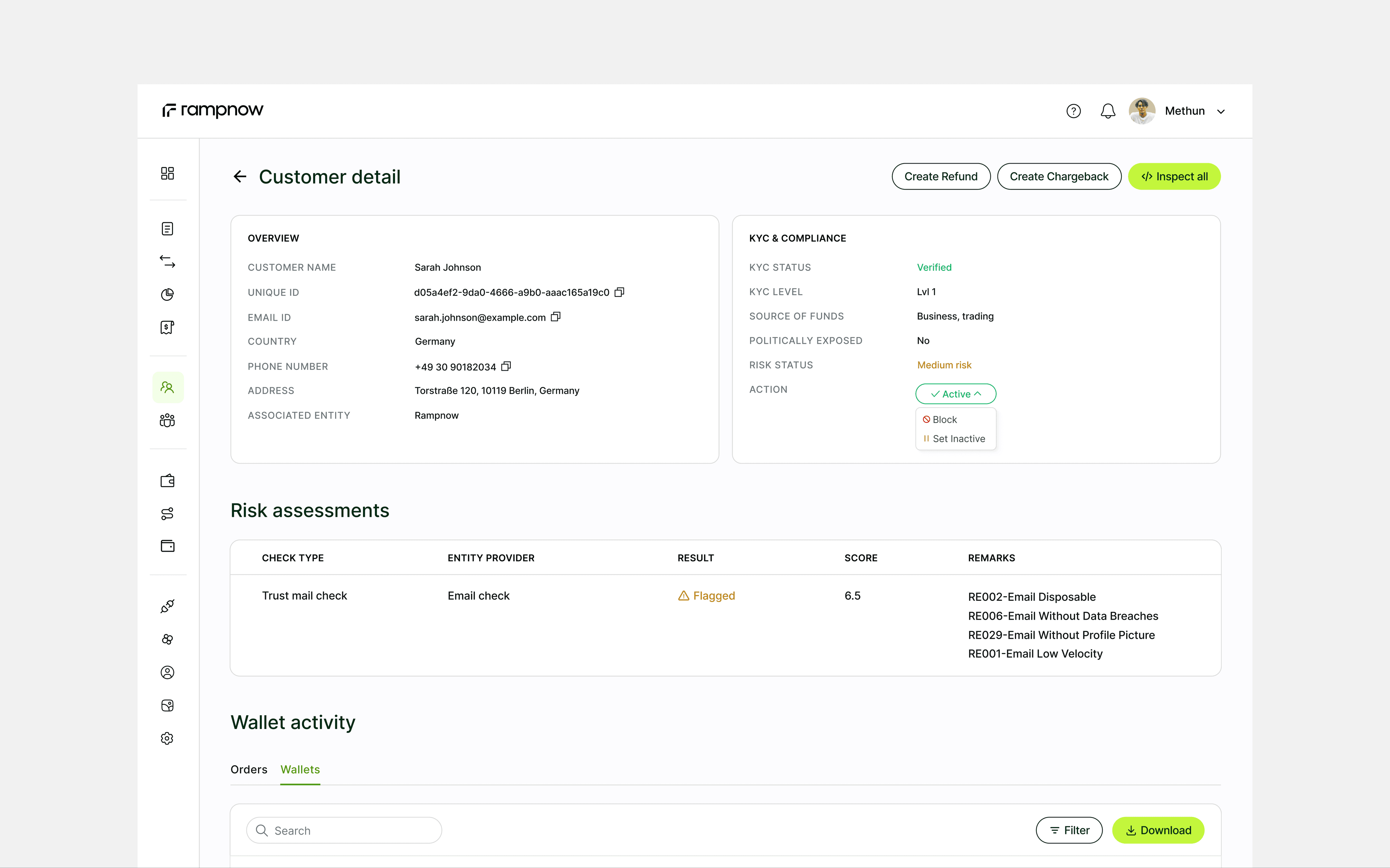
Risk is something you read. Status is something you set.
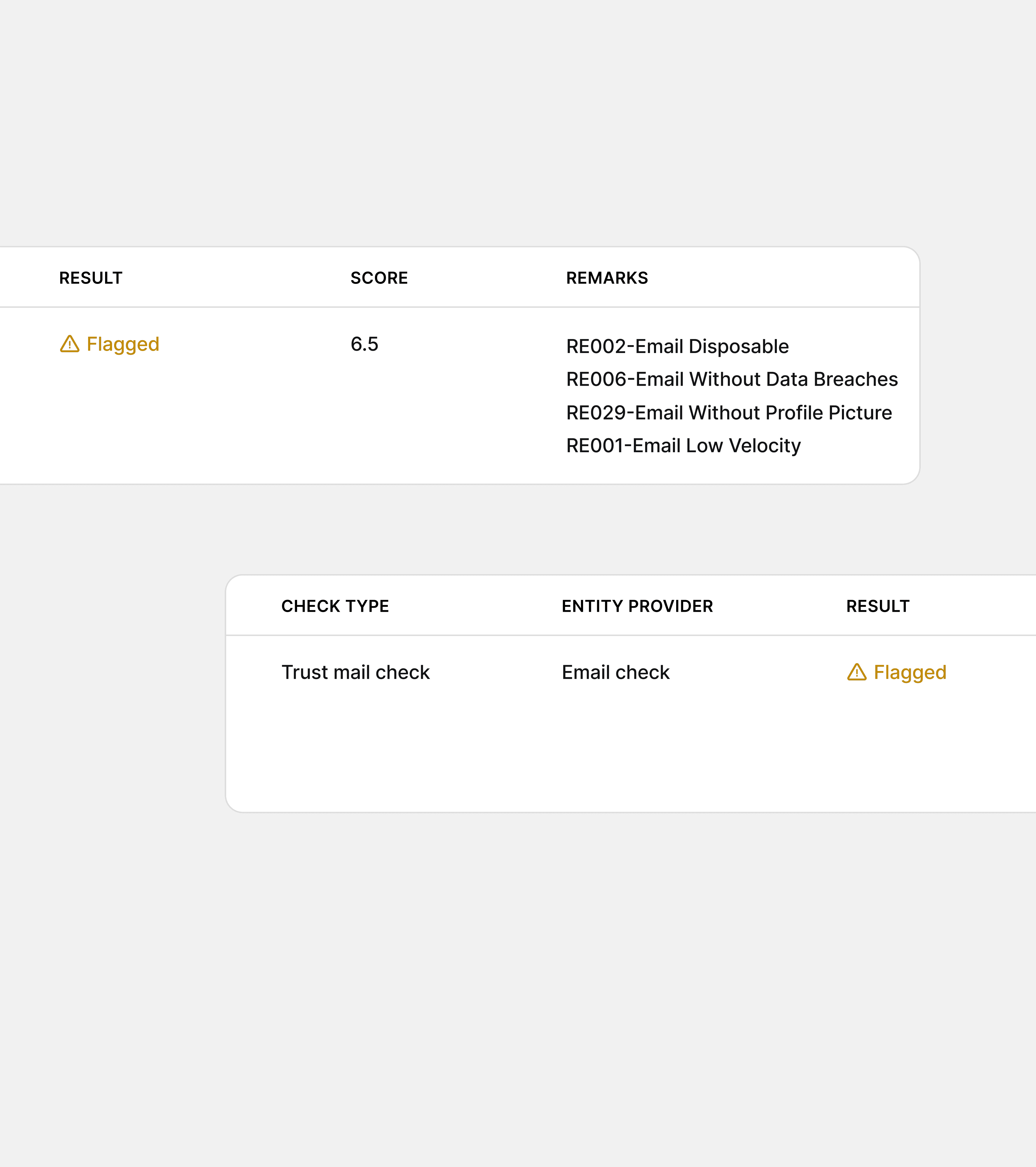
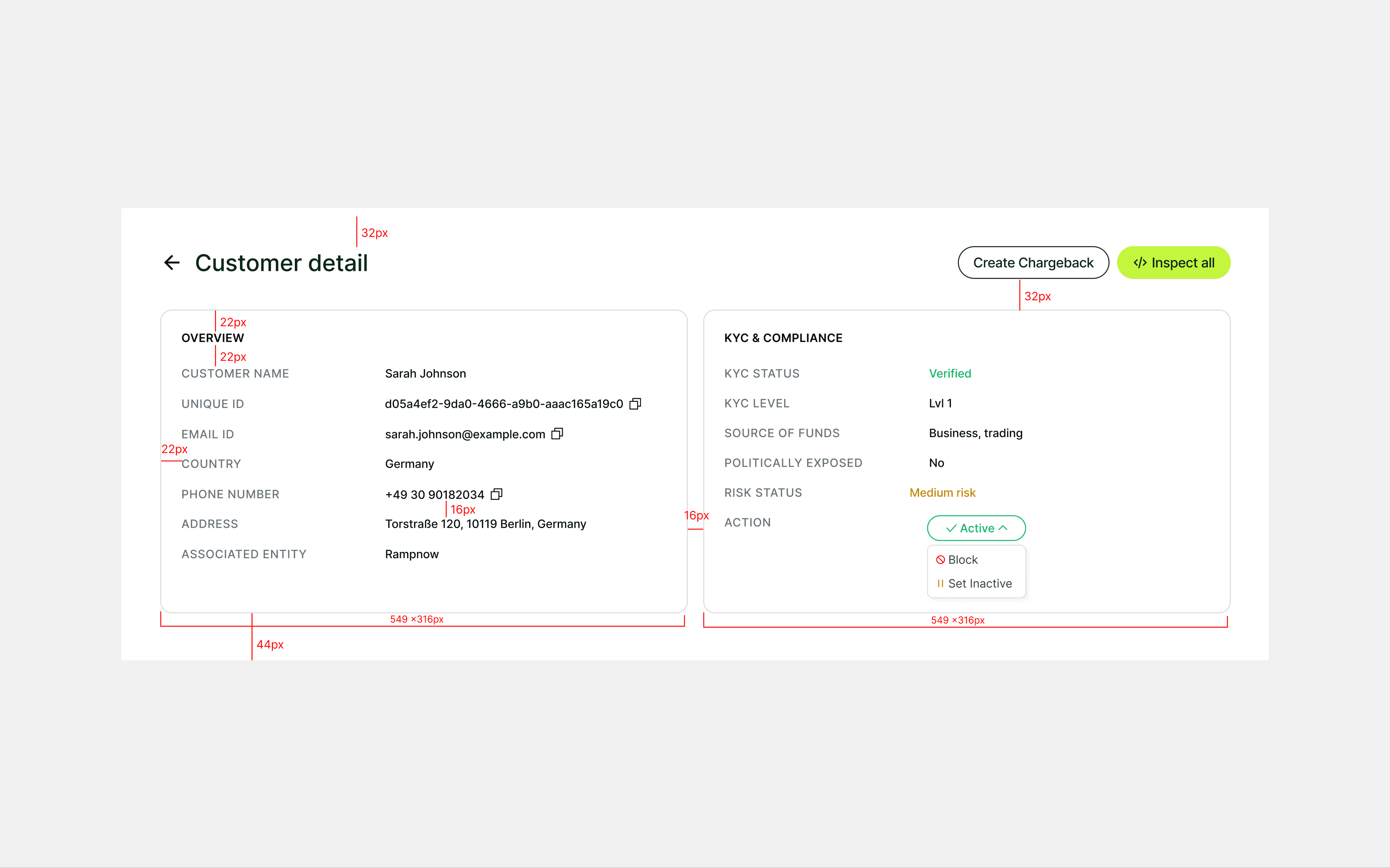
A customer record shows KYC, screening results and a risk level, which come from checks. Next to them sits a status the team controls: Active, Inactive or Blocked. I kept them apart so a score informs the decision instead of making it.
I considered one field for both. I chose two, so nobody mistakes a score for a decision.
Layer 4 · Wallets
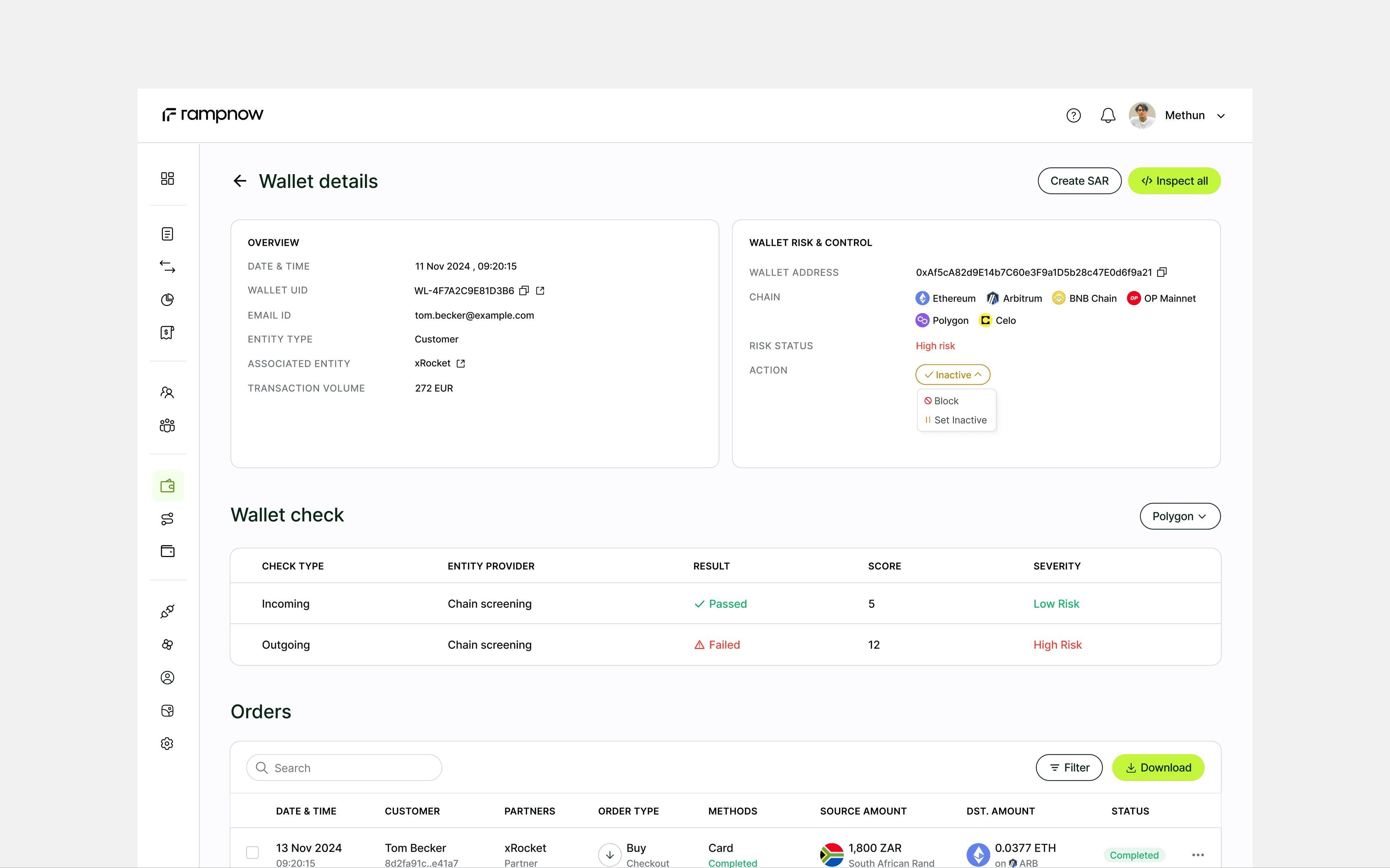
Wallet checks are read per chain
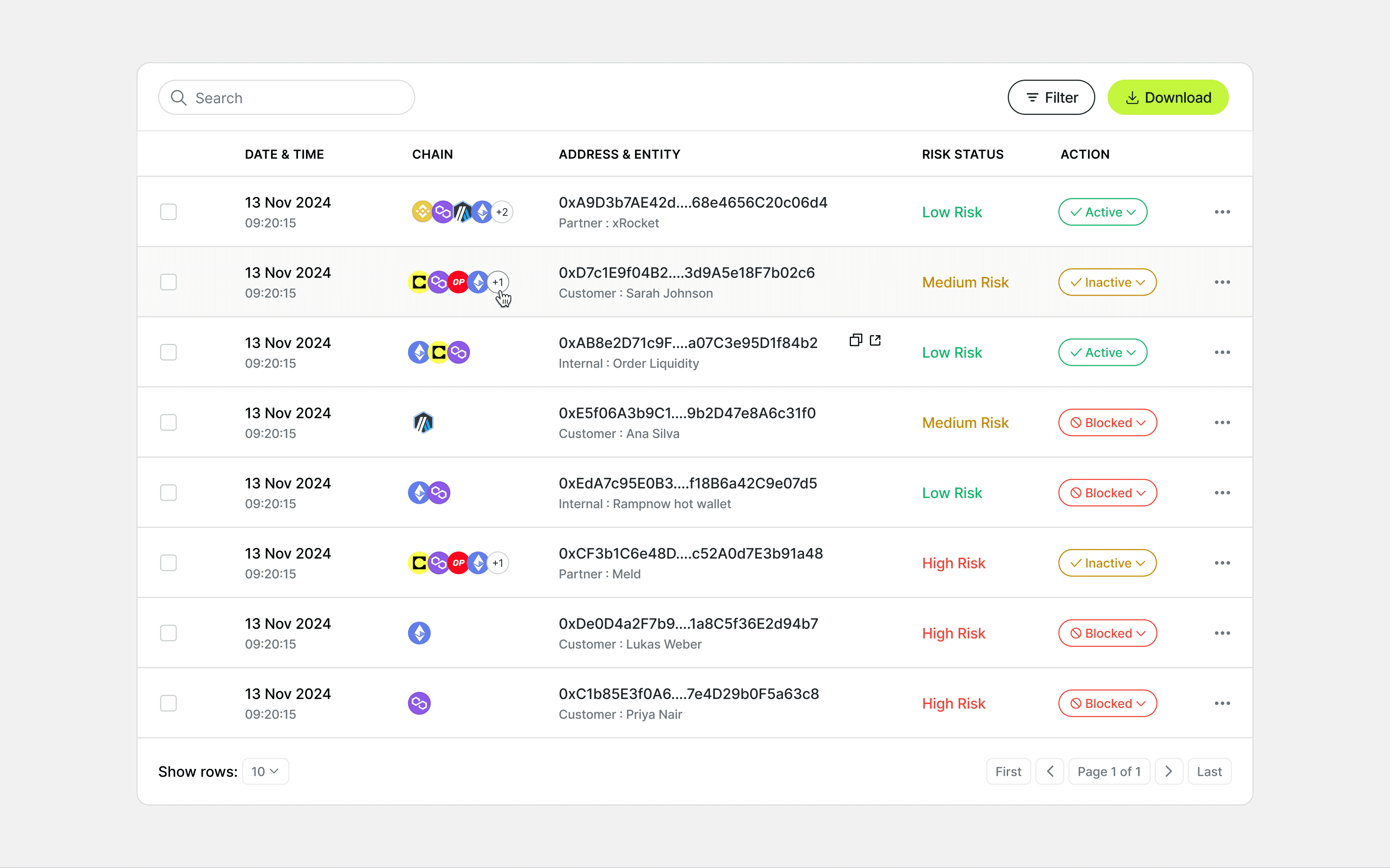
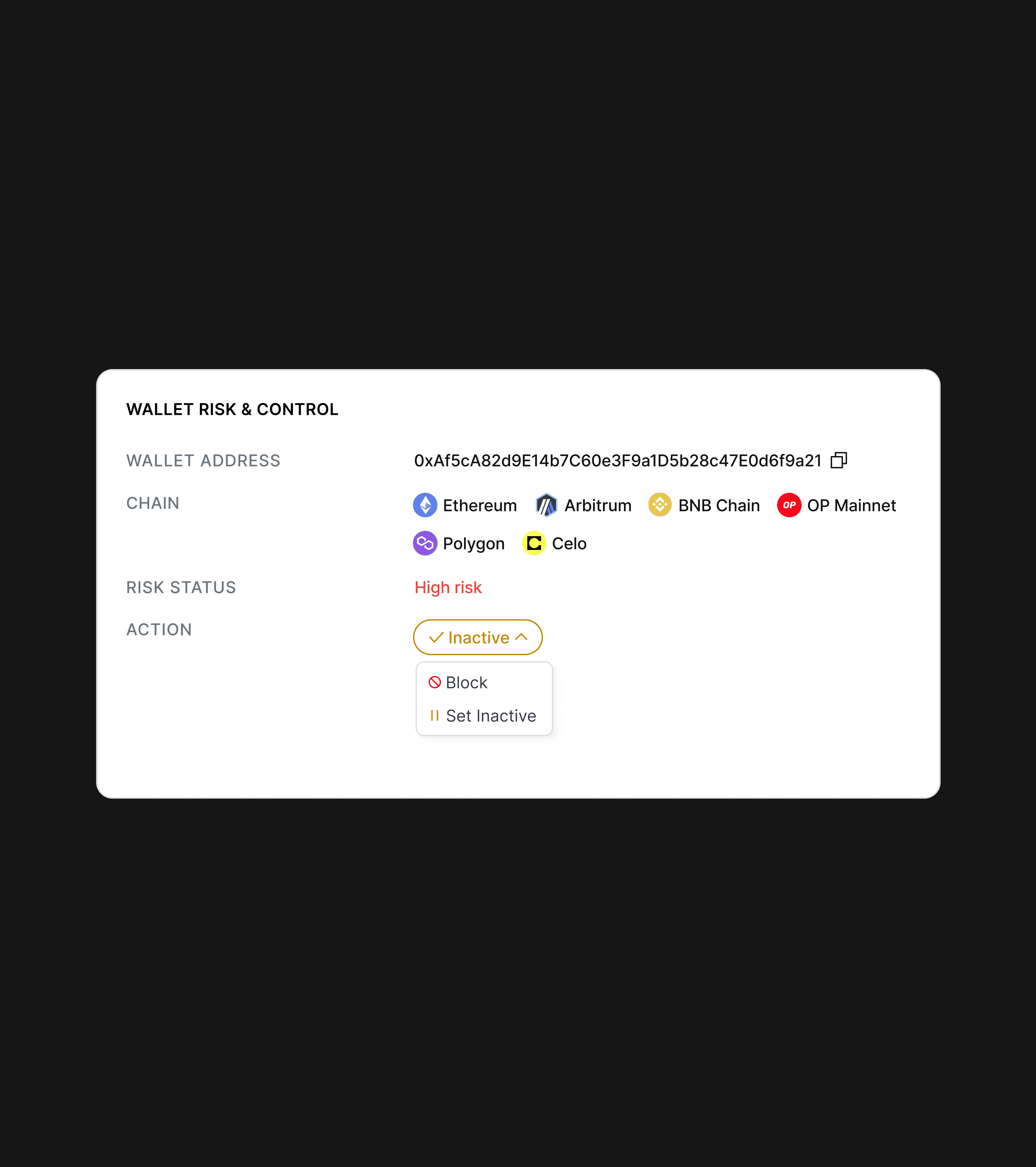
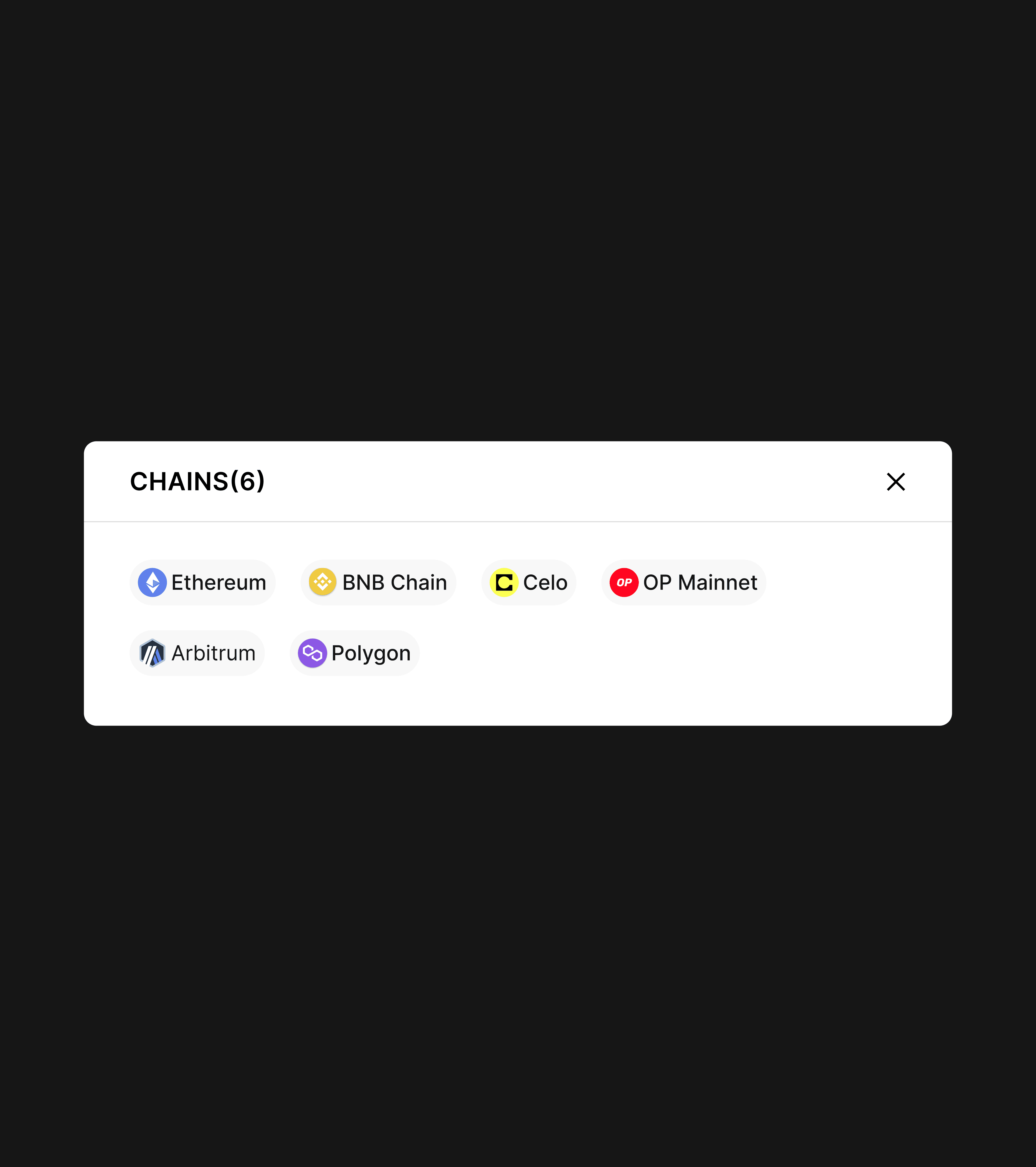
A wallet can live on many chains. Its record pairs its risk with the same Active, Inactive or Blocked control. Checks run per chain, so the chain filter sits next to the section title, and you always know whose results you're reading. When a wallet is on more chains than fit, a +N chip opens the full list.
I tried the filter in the toolbar and in the table header. I chose the title, because it names the results instead of hiding among the tools.
Layer 5 · Payouts
Each transfer in a payout gets its own row
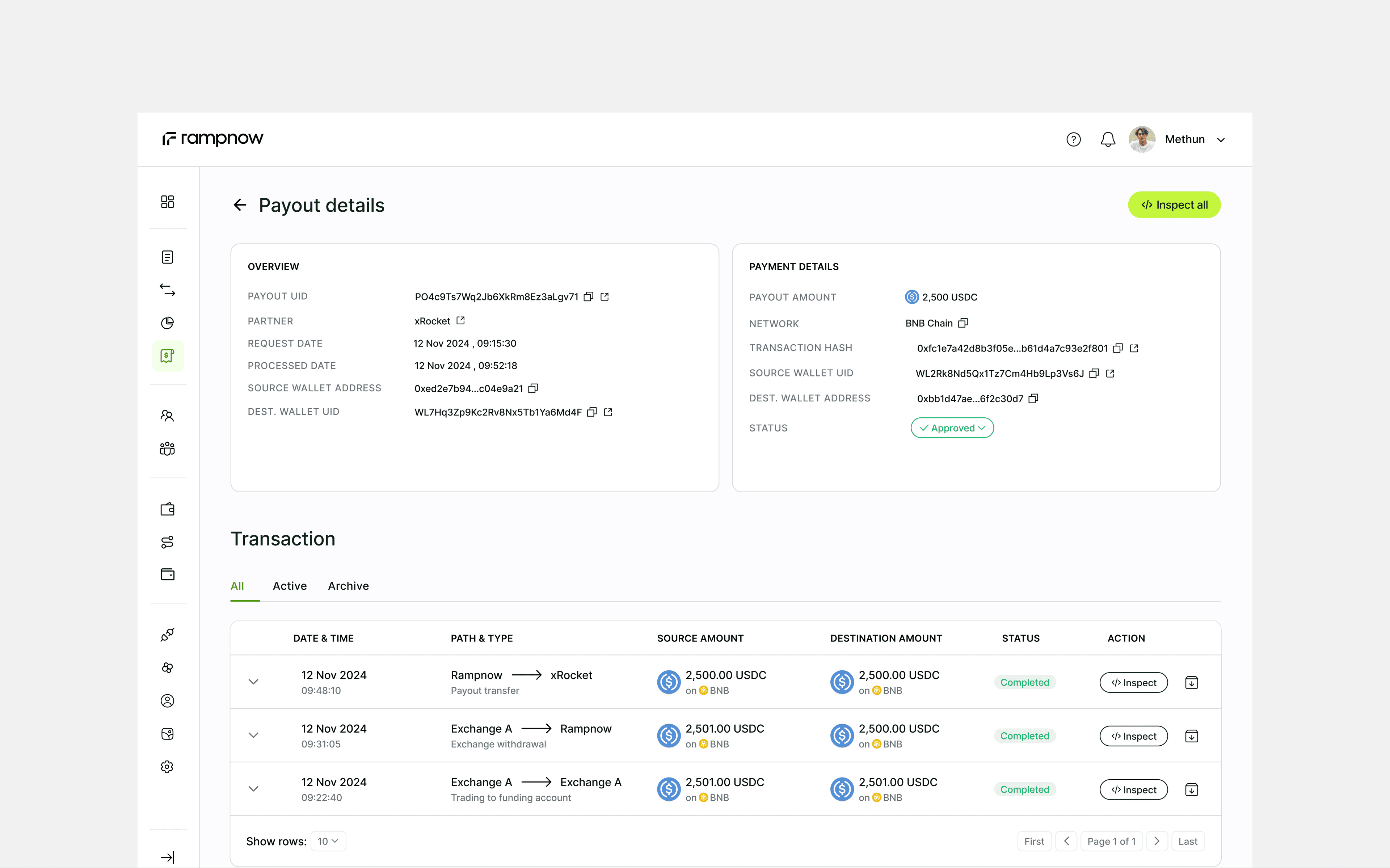
Partners earn a share of every order and withdraw it as a payout. The record shows who asked, when it was processed and where it went, then each hop: a move between exchange accounts, a withdrawal, the transfer to the partner. When something stalls, you can see which hop.
Handoff
I redlined every screen before handoff
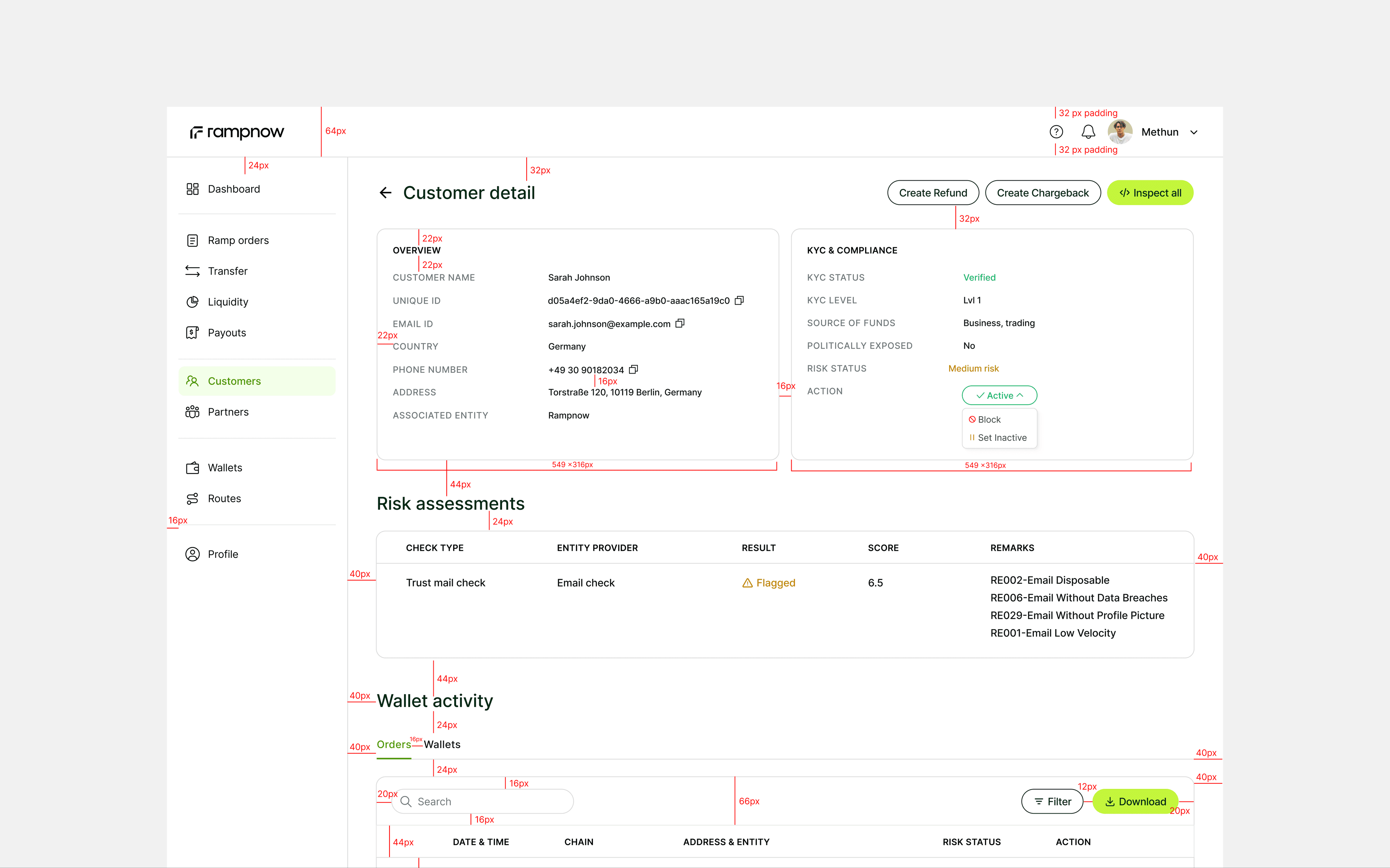
Every page went to engineering with its spacing marked: card padding, row heights, gaps between sections. Engineers built from numbers, not guesses. For the most detailed pages, like external wallets, I walked the team through the design before they started.
Partner portal
Partners see only their own data
A partner like xRocket logs in and sees its own orders, volume and issues, in the same lists and records the Rampnow team uses. One pattern meant one product to build and maintain, not two.
What I learned
Every new page is a list and a record
Simple admin tools don't have fewer screens, they have one way of working. The console keeps growing, and a new page never needs explaining: find it in a list, act on it in a record.
Outcome
Used by Rampnow and its partners
Numbers are under NDA, and I'm happy to talk through the details.
One pattern
Orders, customers, wallets and payouts all follow the same list and record.
One page per question
Who, where the money went, what it cost and every step, on one order record.
Two audiences
The Rampnow team and partners work from the same screens.