Designed and shipped Hypermid's swap and bridge widget




TL;DR
Hypermid moves money across blockchains. Businesses use it for checkout, deposits and orchestration. People use it as a swap and bridge widget, on Hypermid and white-labelled inside other platforms.
I was the only designer. I shaped the brand, the design system, the widget and the website, and shipped the widget's interface to production myself. The engineering manager reviewed my pull requests.
Role
- Product Designer
- 2026
Scope
- Brand
- Design system
- Widget
- Website
Stack


Problem
A cross-chain swap hides a lot: several routing engines, two chains, gas on both, prices that move by the second. Show all of it and people freeze. Hide it and they stop trusting the number.
Solution
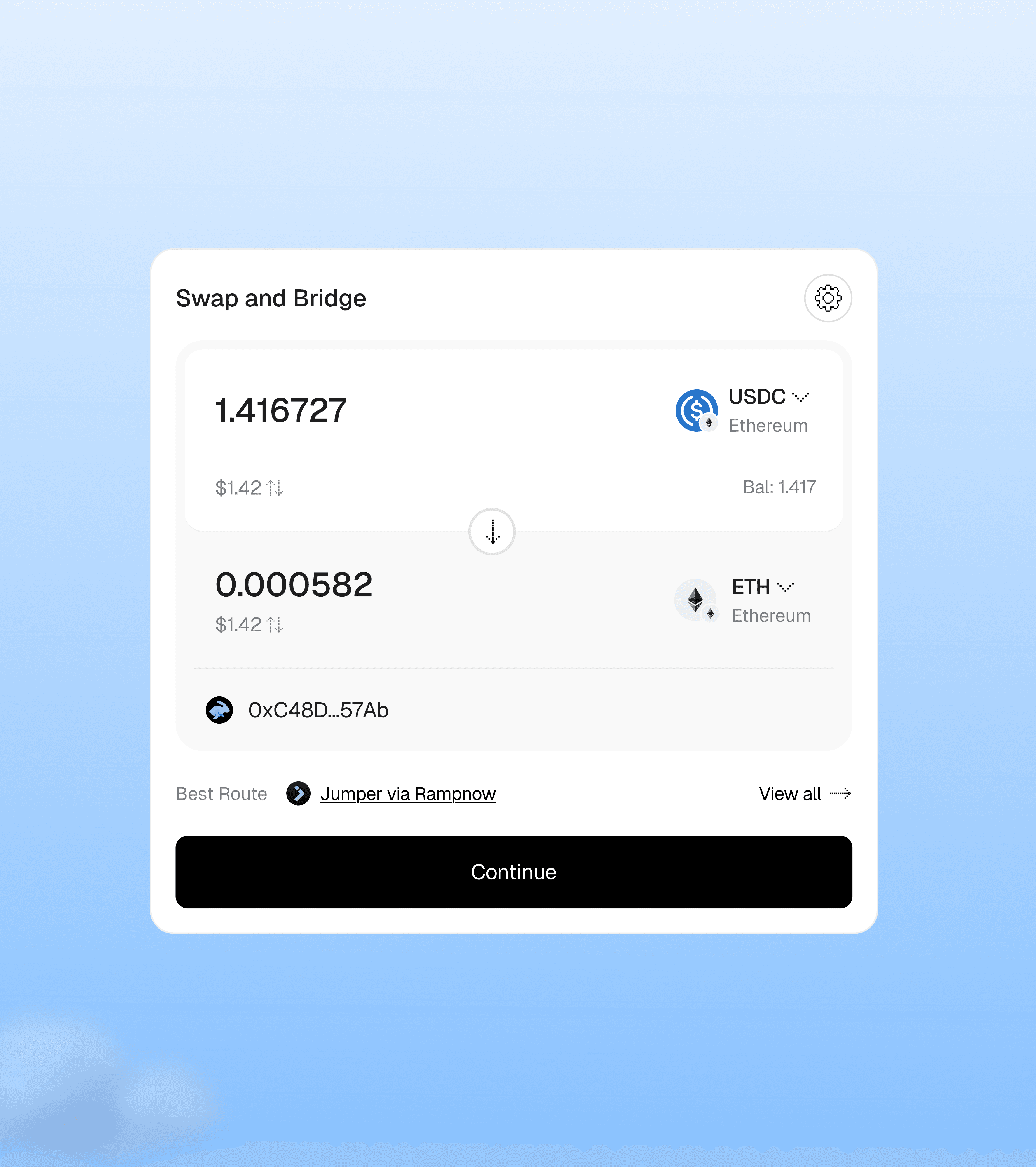
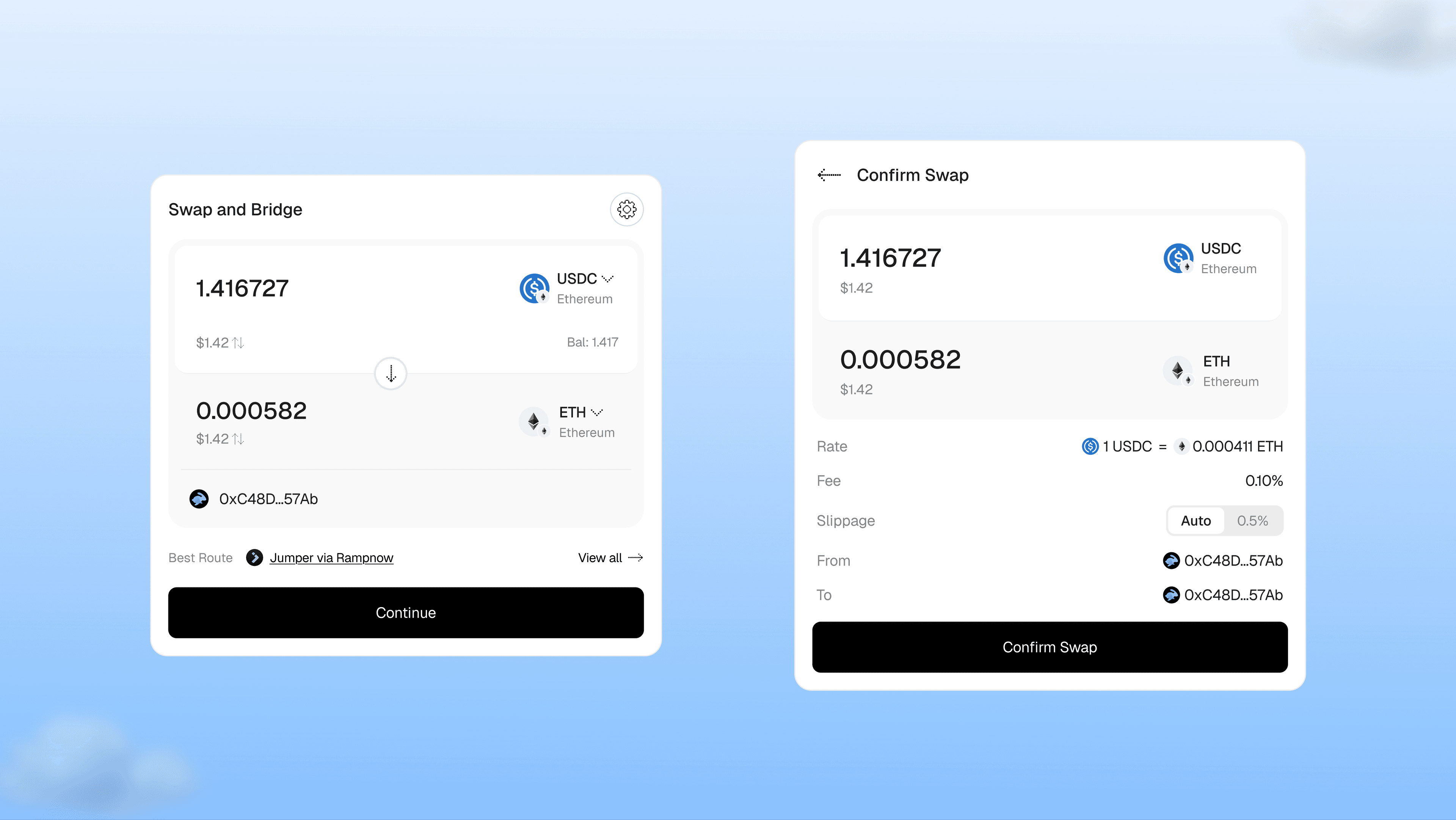
One card that leads with the swap itself. Detail comes in layers: routes on demand, warnings only when they matter, four facts to sign, every step tracked, and the full record in the explorer.
Result
The widget runs in production, white-labelled by iGaming, Web3 and e-commerce platforms. I shipped its interface myself.
The swap and bridge widget
Try it
Try a swap yourself
Change the amount, flip the tokens, open the routes. It's built from the same components as the live widget, with test data.
Swap and Bridge

Best Route
Challenge
What does a cross-chain swap really cost?
Behind one swap sit several routing engines, LI.FI, Jumper and Hypermid's own, and they rarely give the same answer. The money moves between two chains, each with its own gas. Partners put the widget inside their own product, under their own brand. And many people using it have never used a bridge before.
So I built the widget in layers. Each layer shows only what you need at that moment, and the next one is always a tap away.
Identity
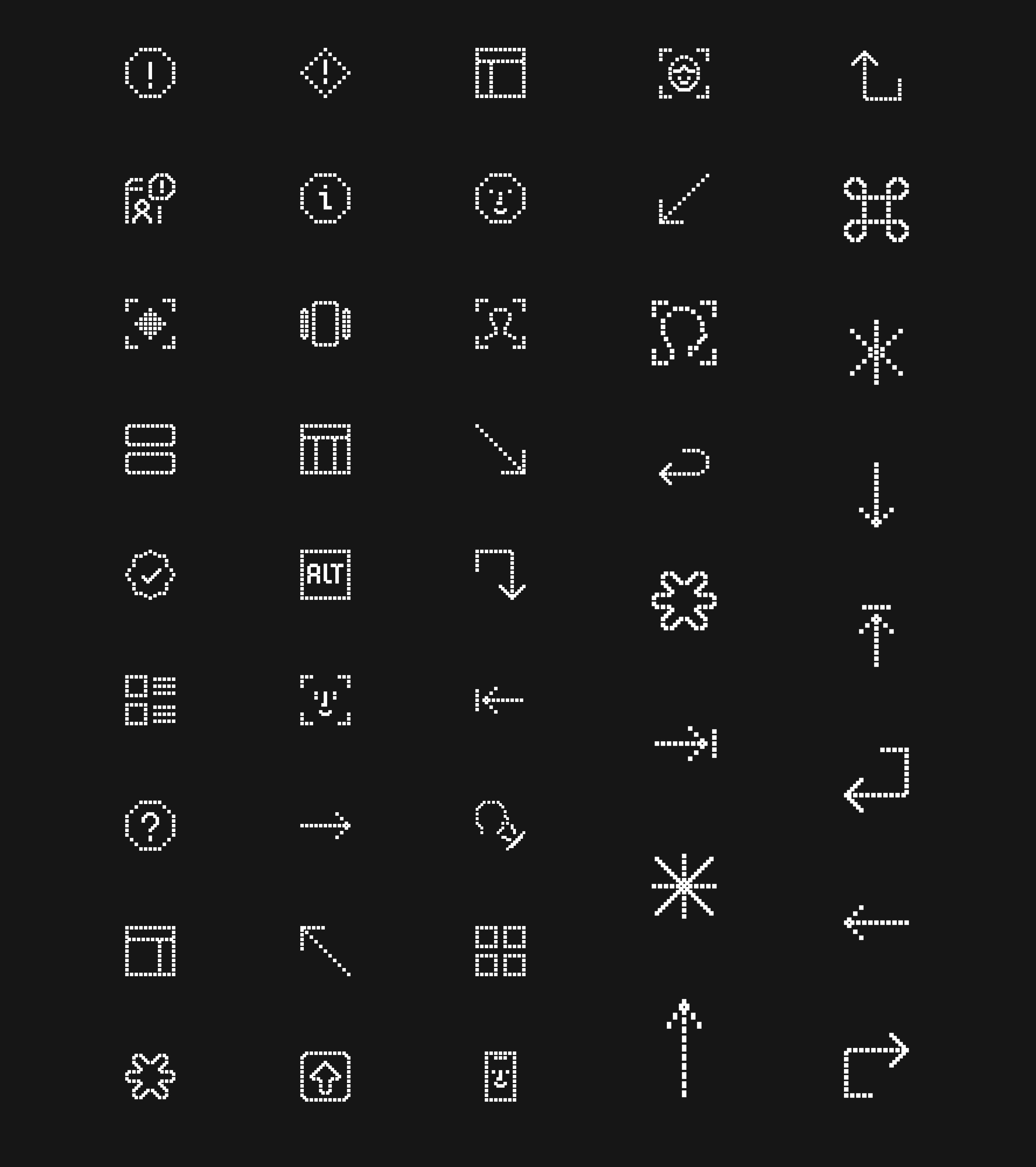
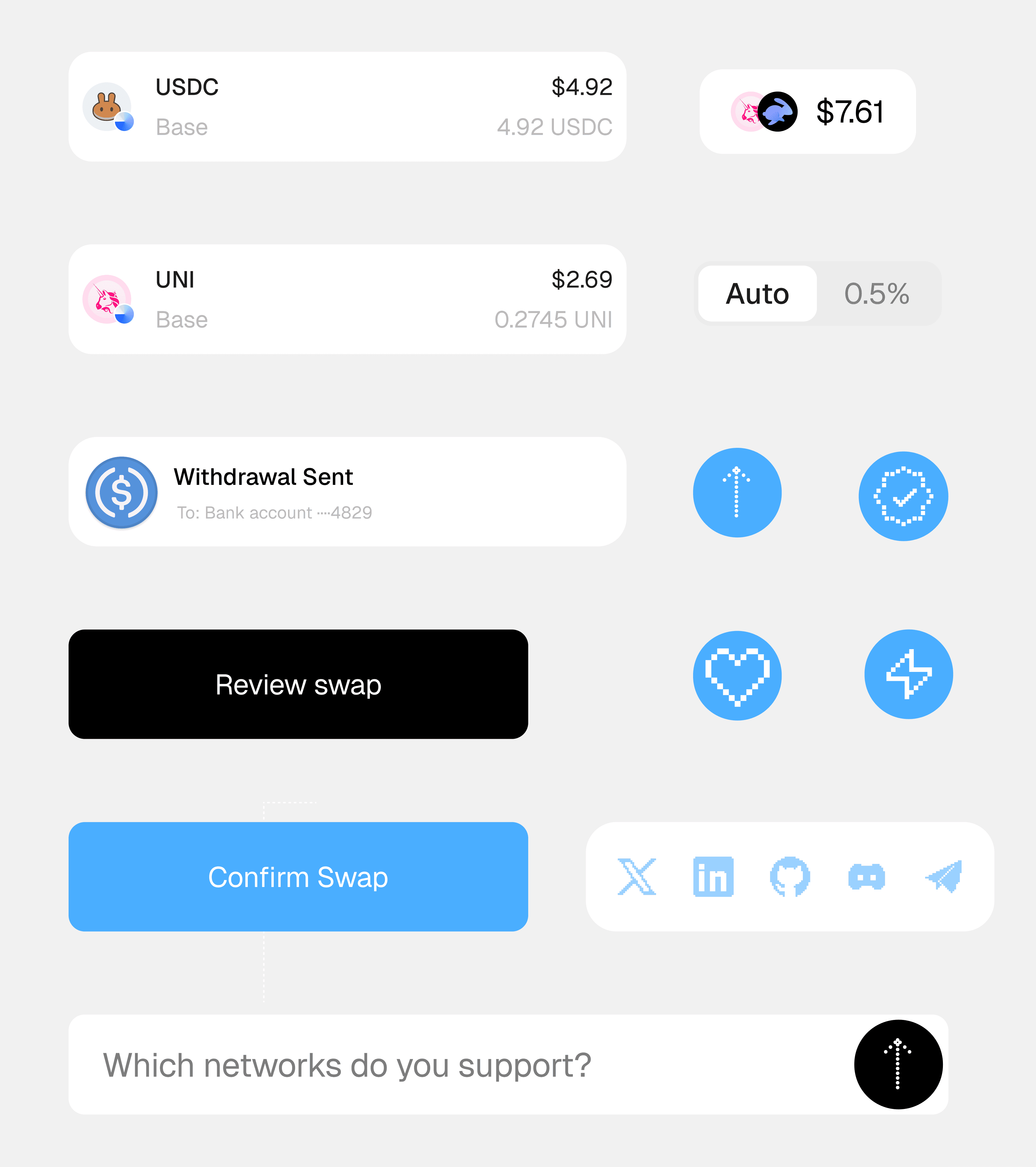
I drew the brand on a pixel grid
Hypermid serves people and AI agents. Pixels are blocks, like the chain, and a grid is a unit that screens, machines and people all read. The icons and the numbers are built from the same squares.
I considered the soft 3D look most crypto brands use. I chose the grid, because it keeps one voice from the smallest icon to the whole widget.
Layer 1 · The card
The whole swap fits on one card
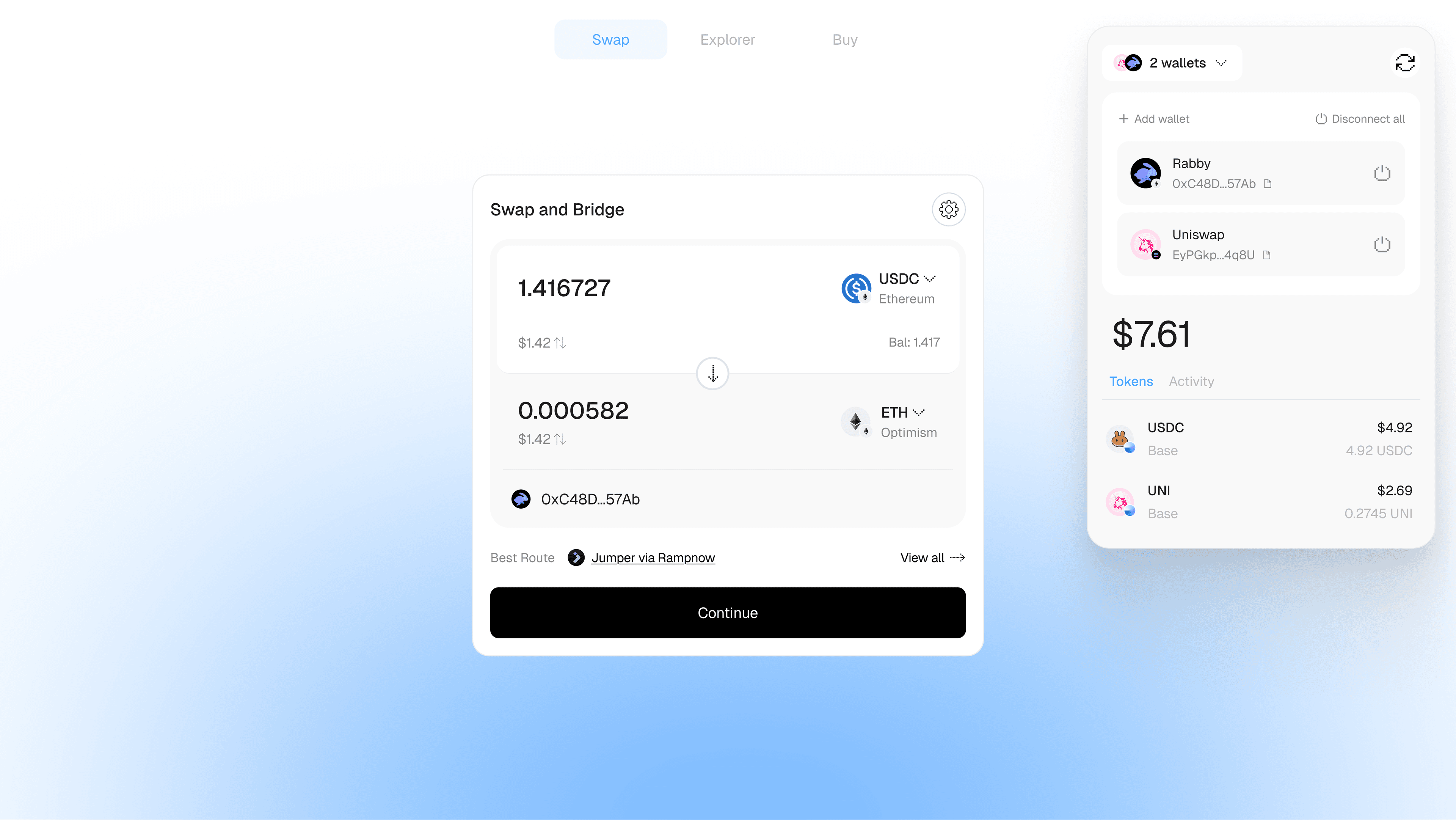
It answers four questions in the order people ask them: how much, worth what, to which wallet, by which route. Presets and settings stay hidden until you ask.
I considered a step-by-step flow: tokens, then amount, then route. I chose one card, so the whole swap stays in view.
Layer 2 · Tokens and wallets
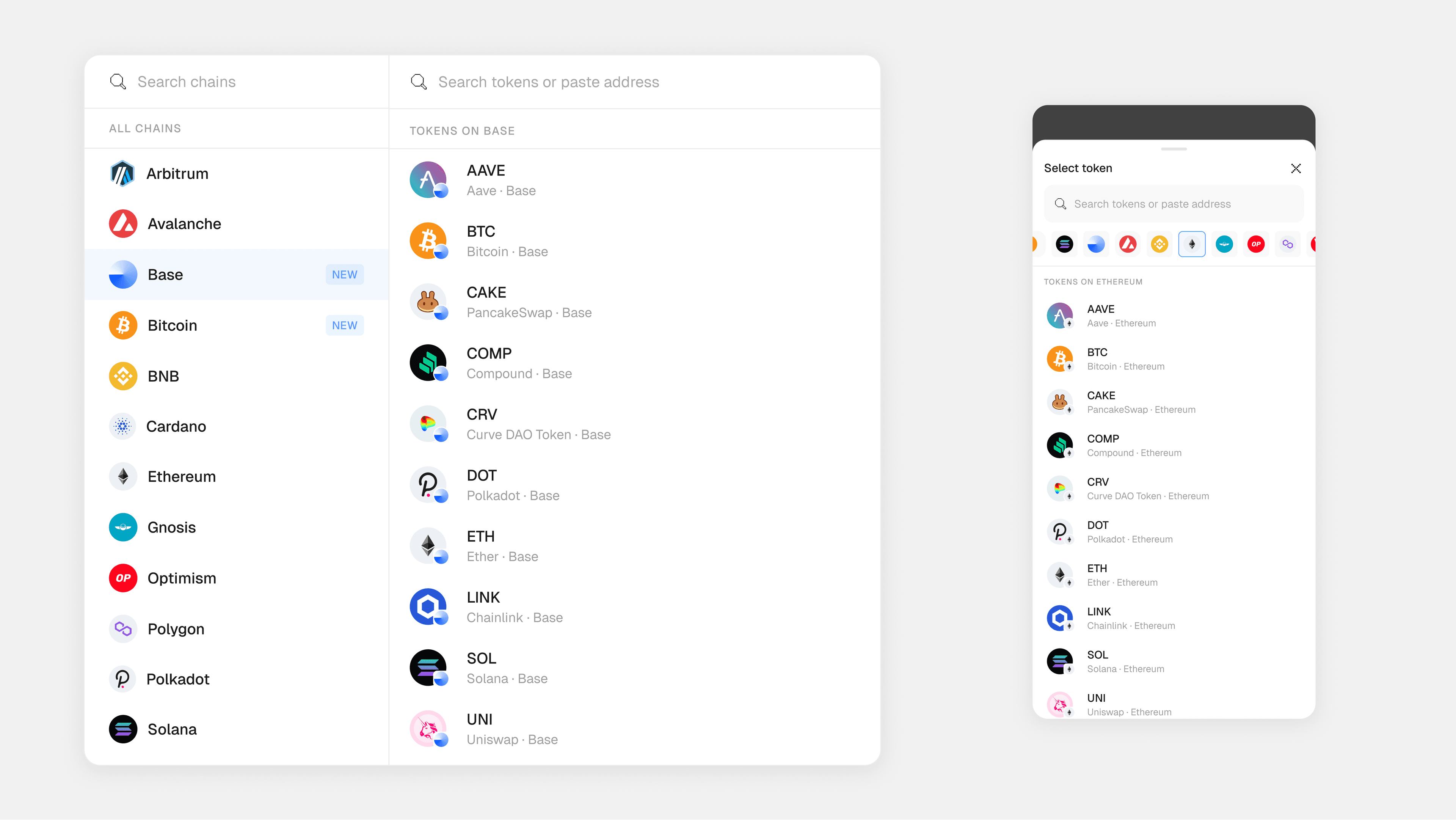
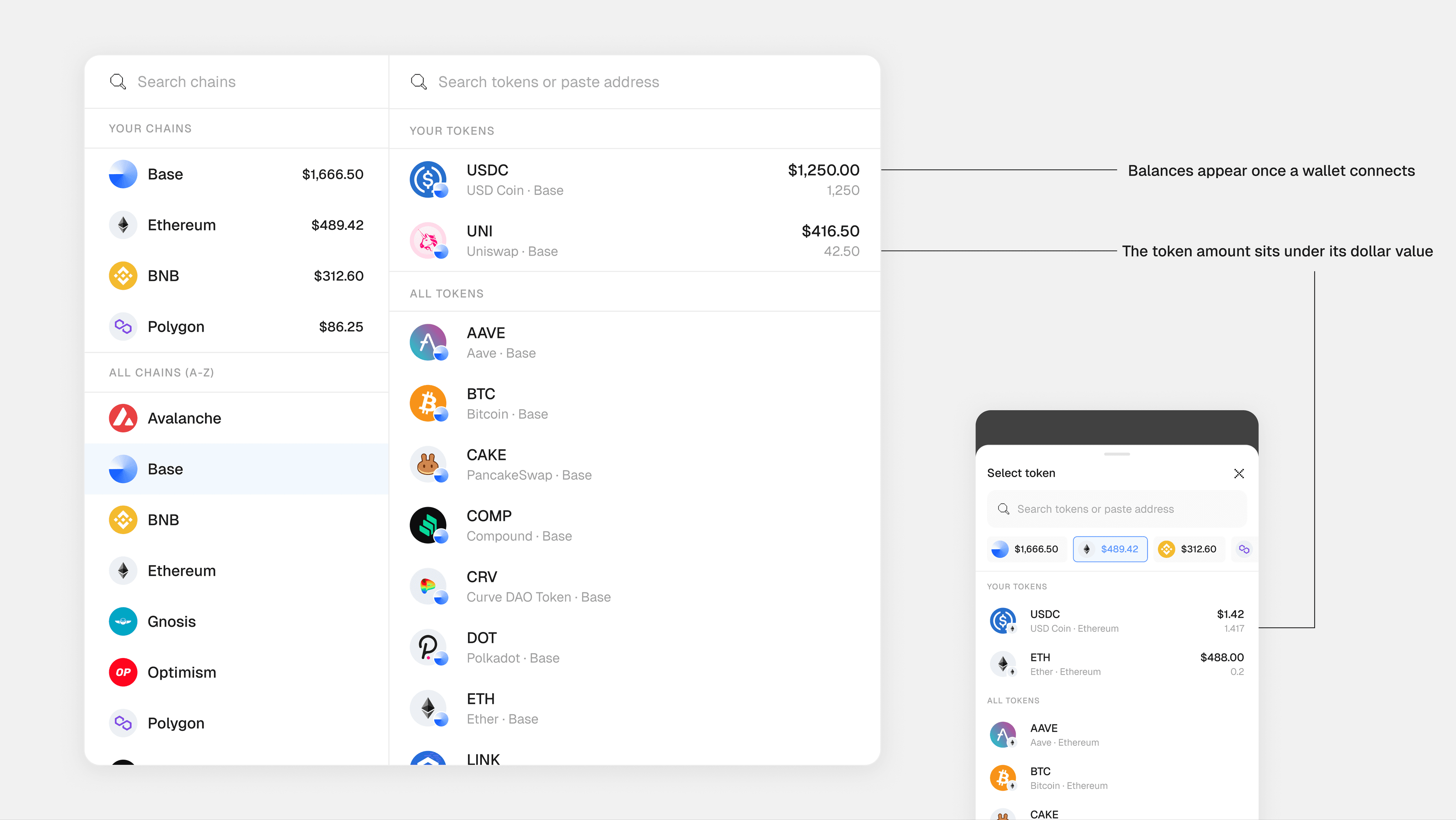
You pick the chain first, then the token
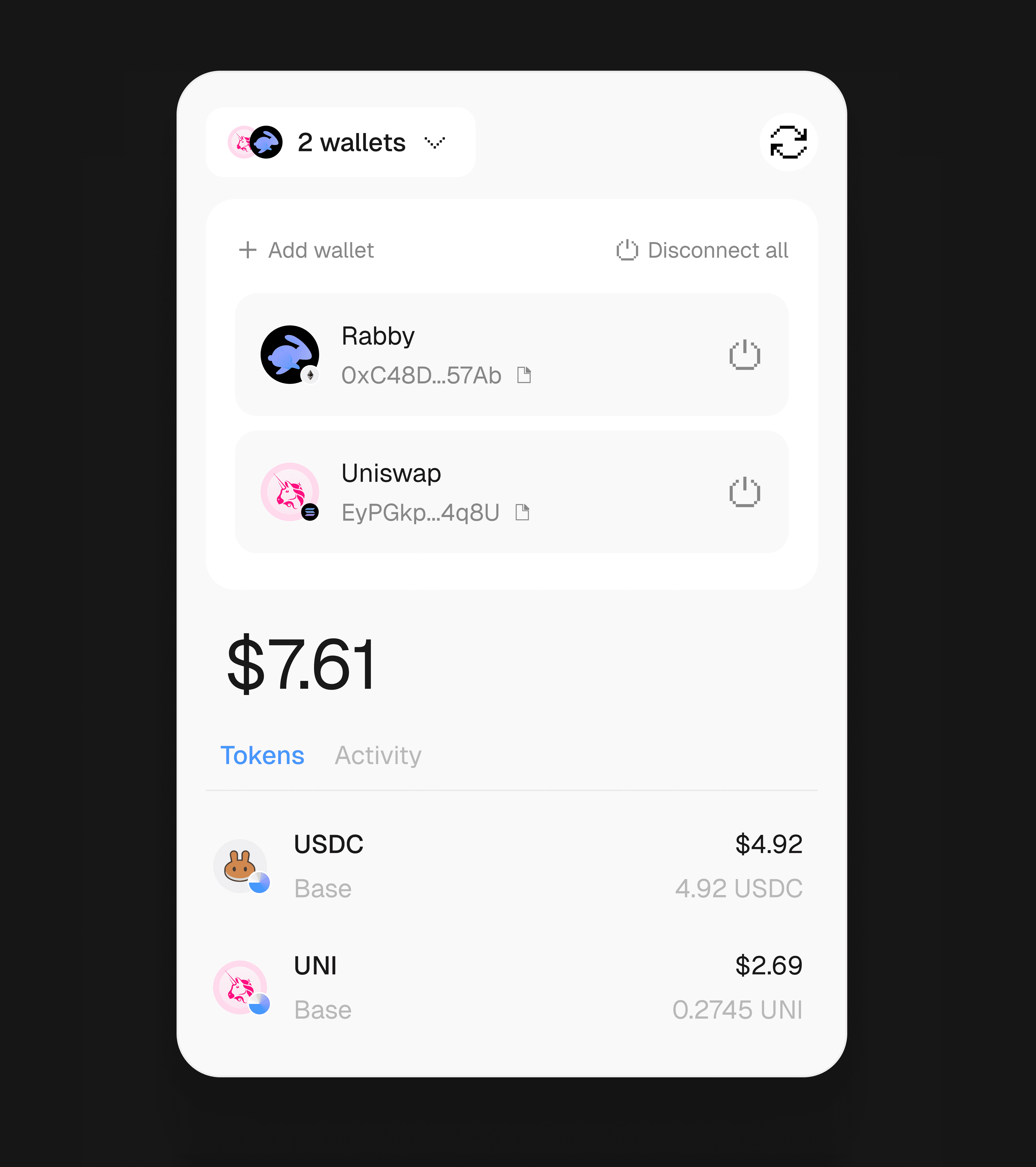
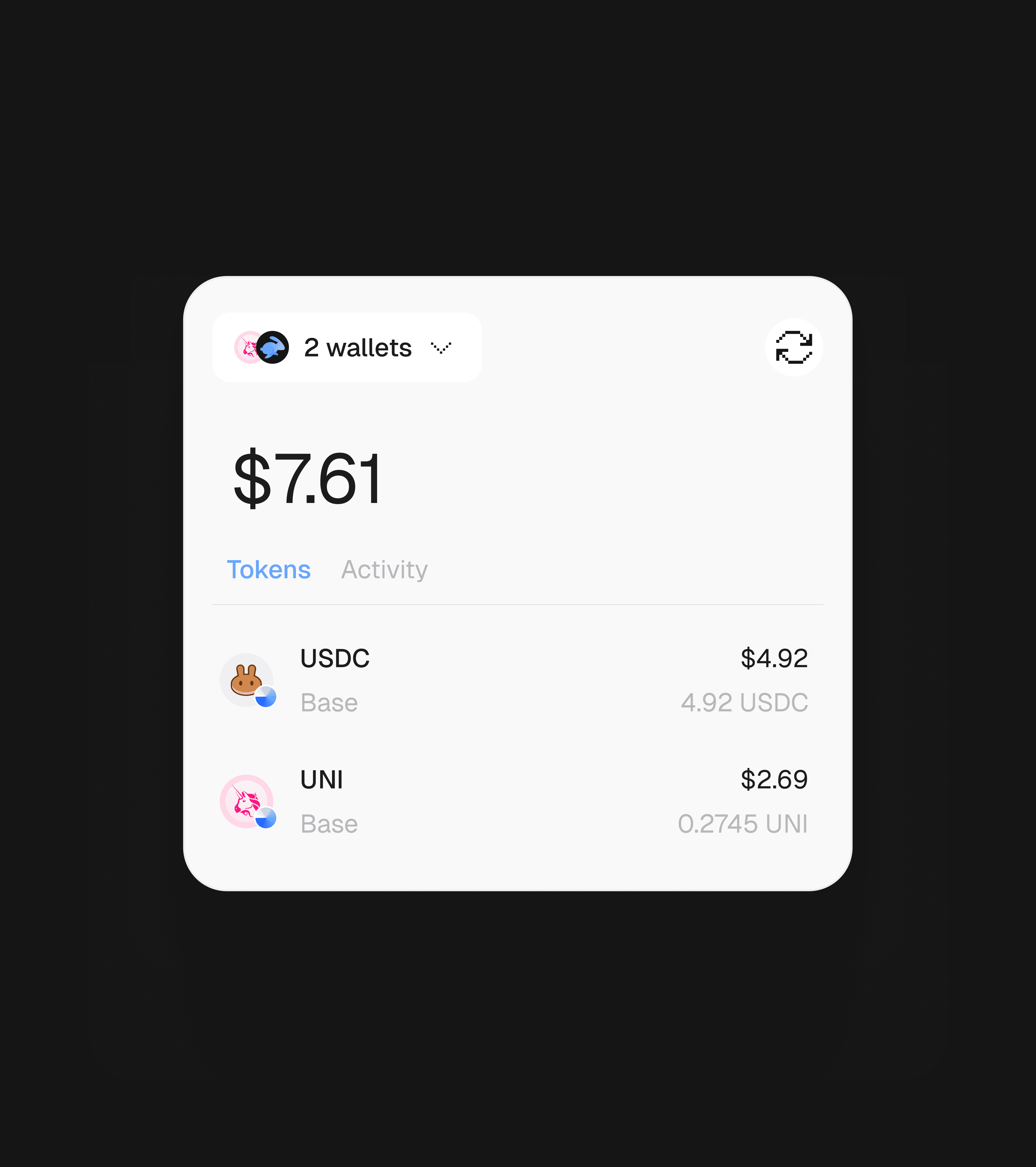
Every token lives on a chain. Chains sit on the left, tokens on the right, and on a phone the picker becomes a sheet. Once a wallet connects, your chains and tokens move to the top, each with its balance. The wallet panel shows every connected wallet with its balance, and folds down to one balance when you don't need it. The background glow takes the colour of the token you're sending.
Layer 3 · Routes
The card shows one route
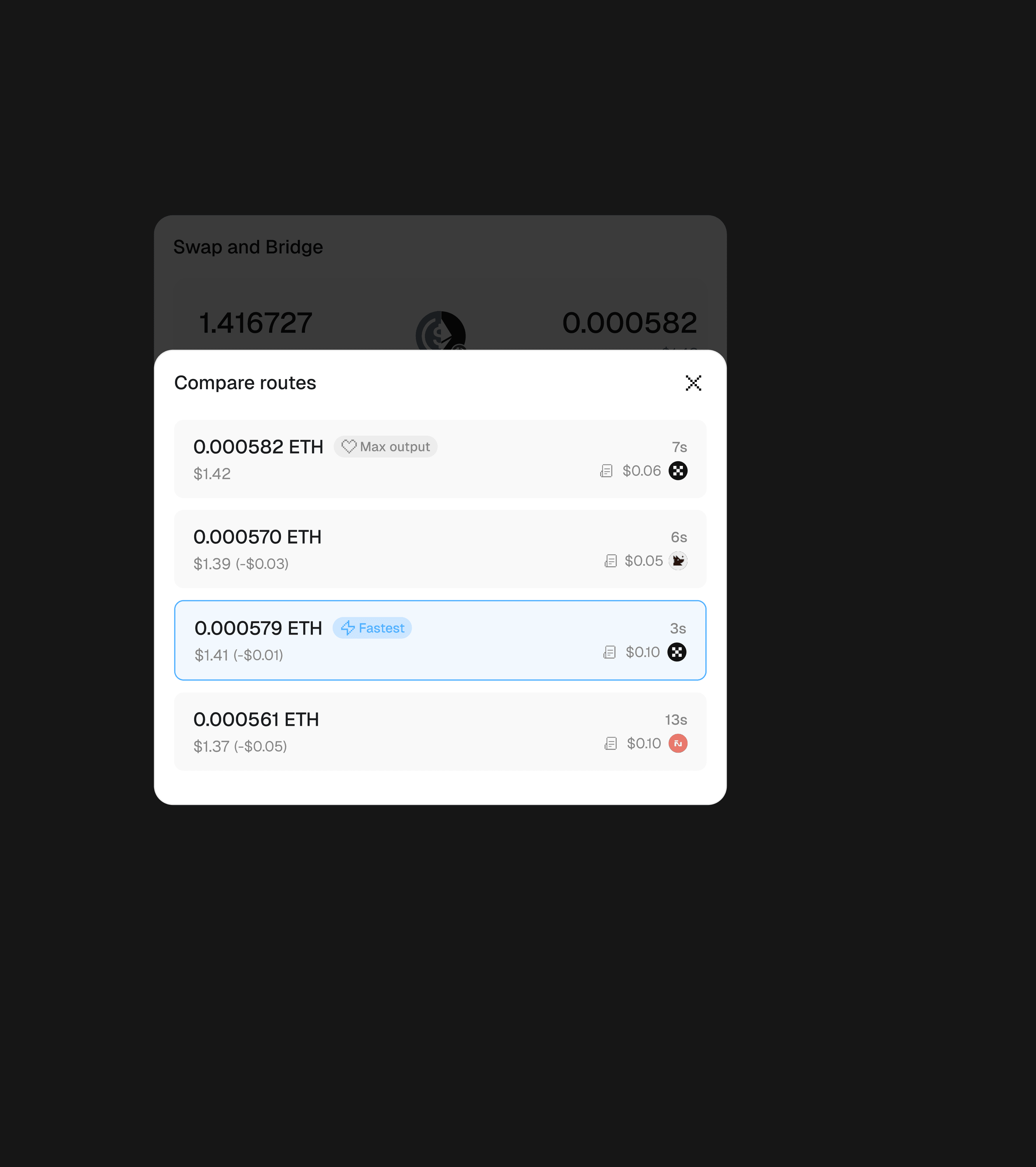
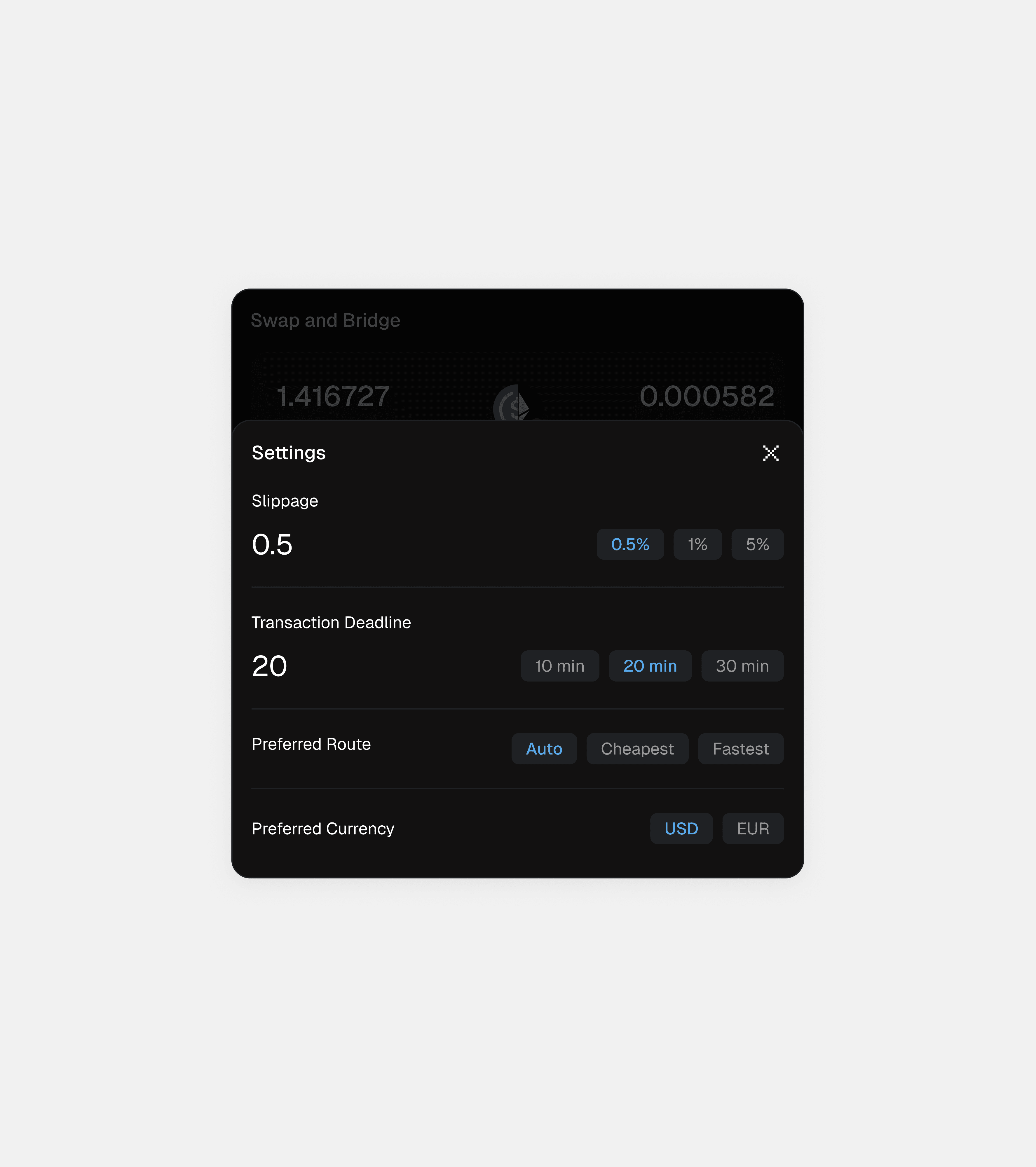
The best route is one line on the card. Compare routes shows each option's output, time and fee, tagged Max output or Fastest. Settings sets the default: Auto, Cheapest or Fastest.
I considered listing every route on the card. I chose one, with the rest a tap away. Five quotes that differ by cents add doubt, not trust.
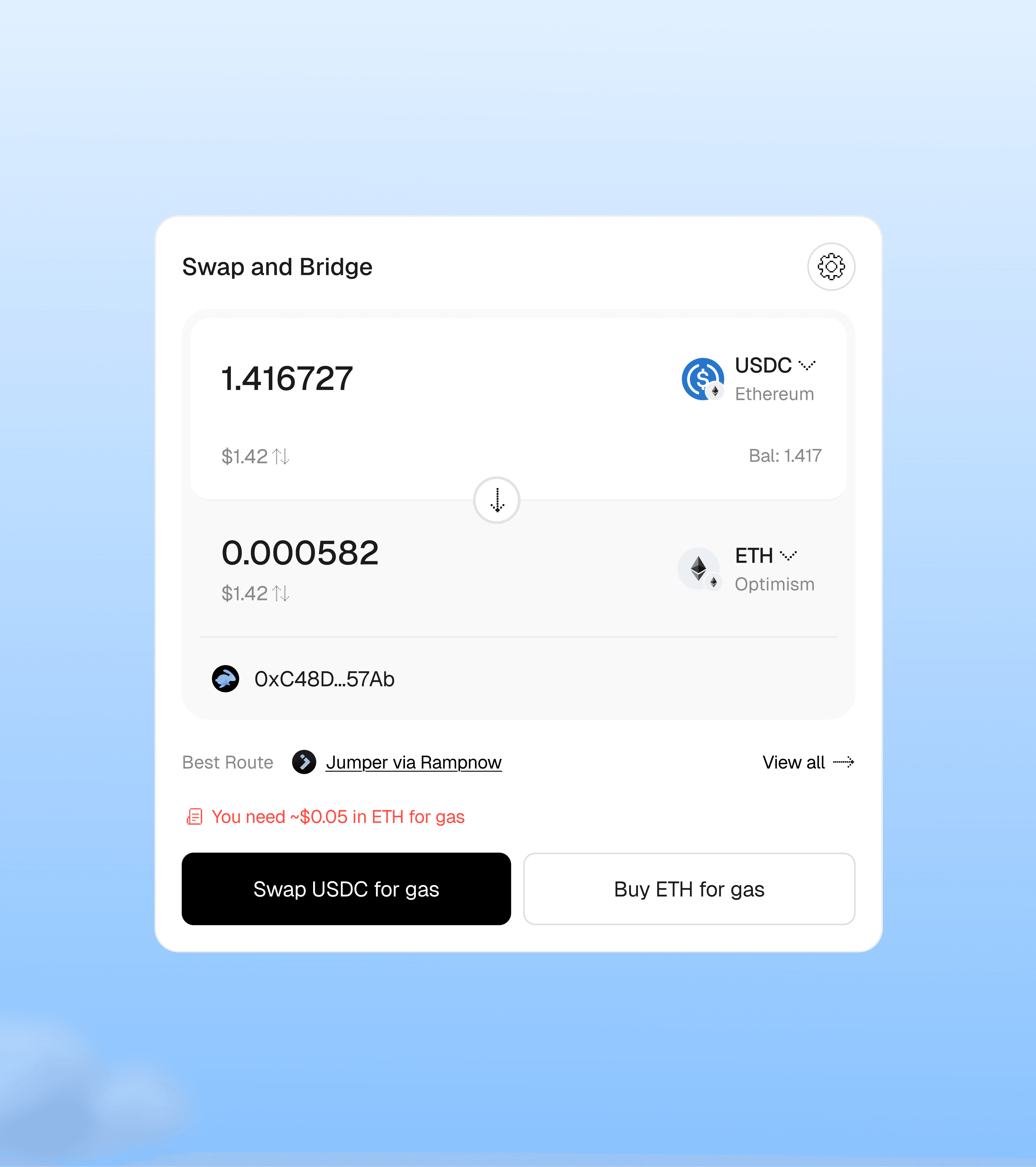
Layer 4 · Warnings
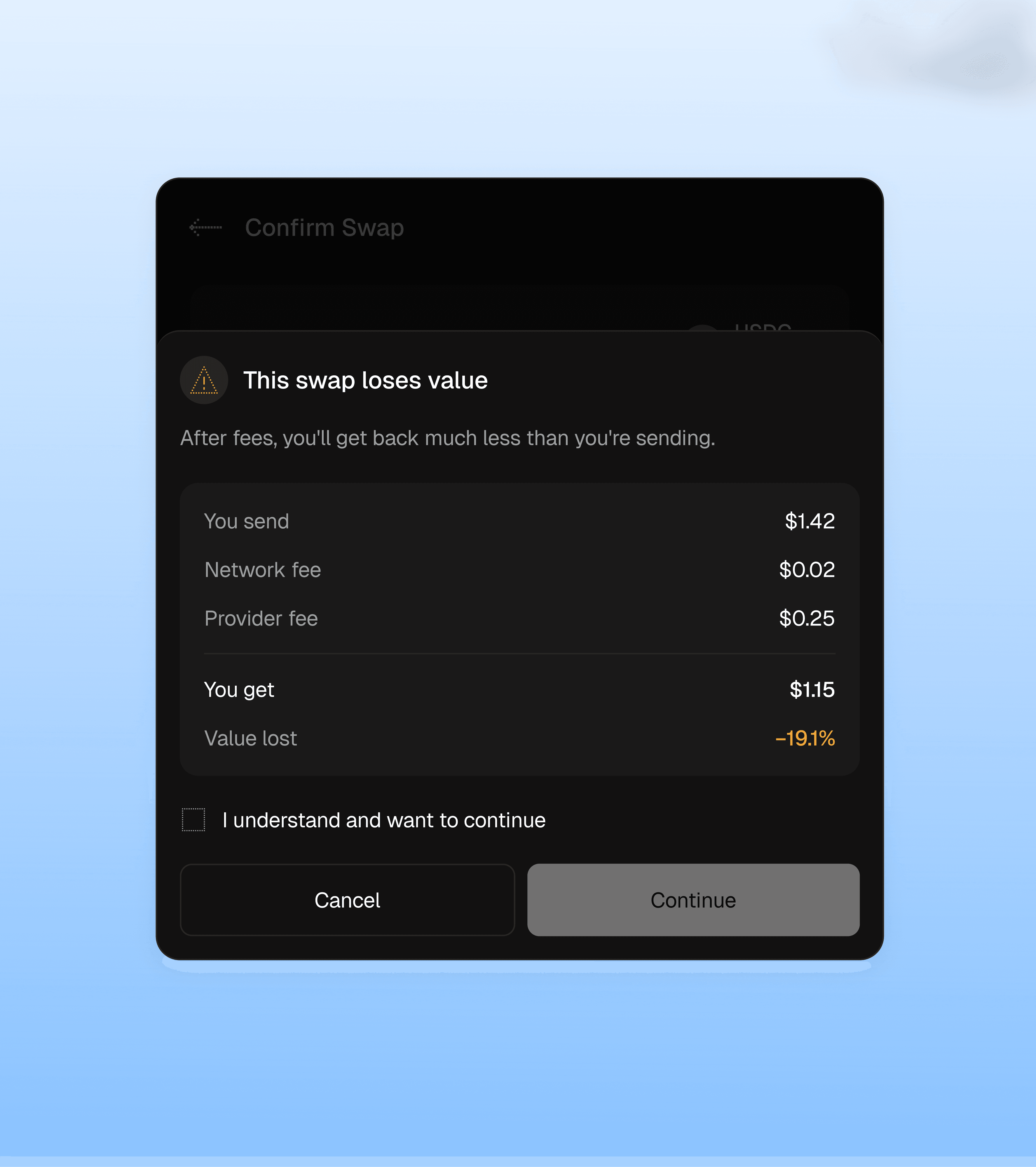
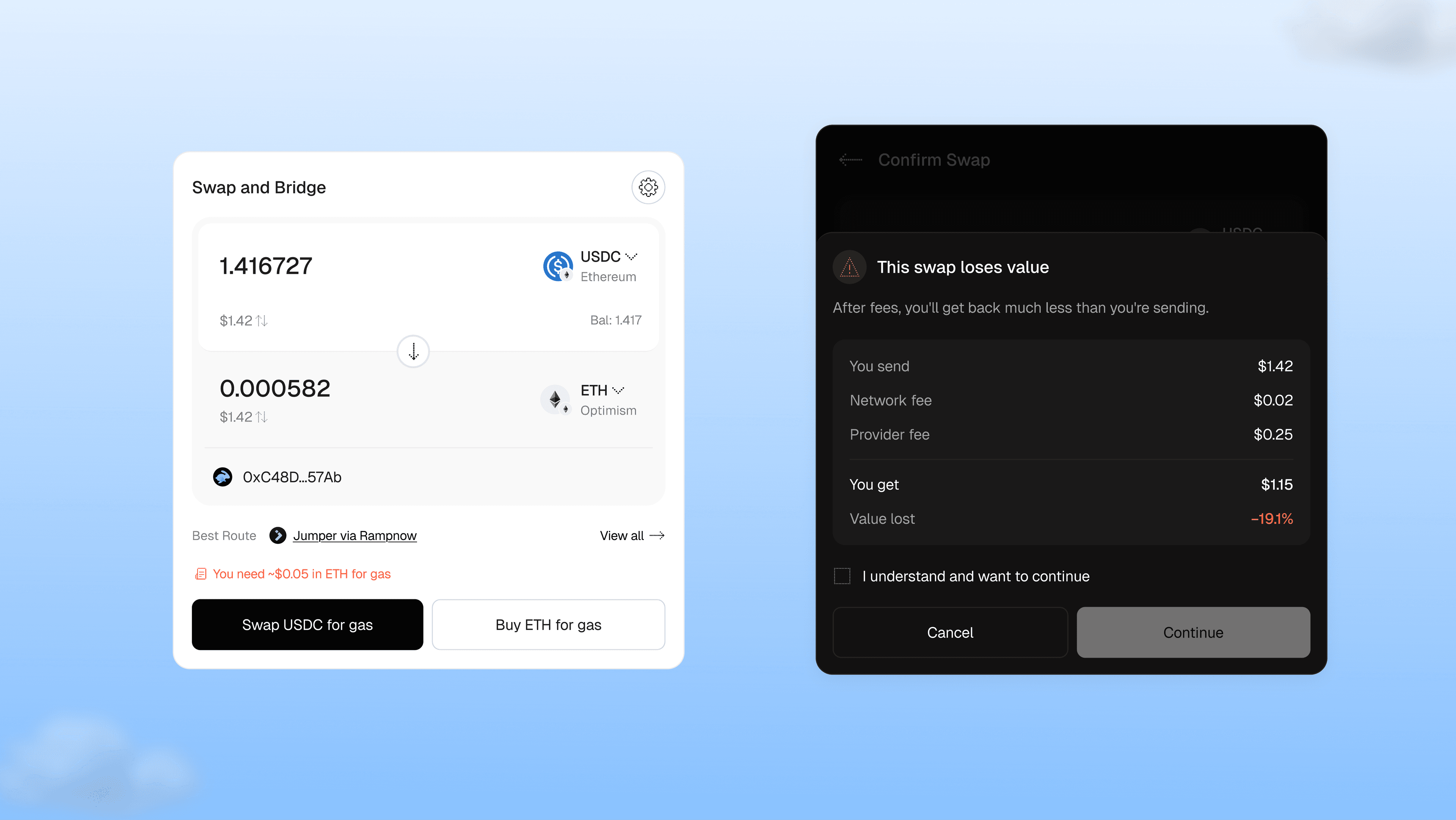
Warnings appear only when money is at risk
Without enough gas, the widget shows ways to get it. When fees would eat most of a small swap, it shows what you send, what you lose, and a clear choice to continue. Amber means it's your call. Red is kept for things that can't go ahead.
I considered blocking swaps with high fees. I chose to warn and let people decide, because a small swap isn't a mistake.
Layer 5 · Confirm and track
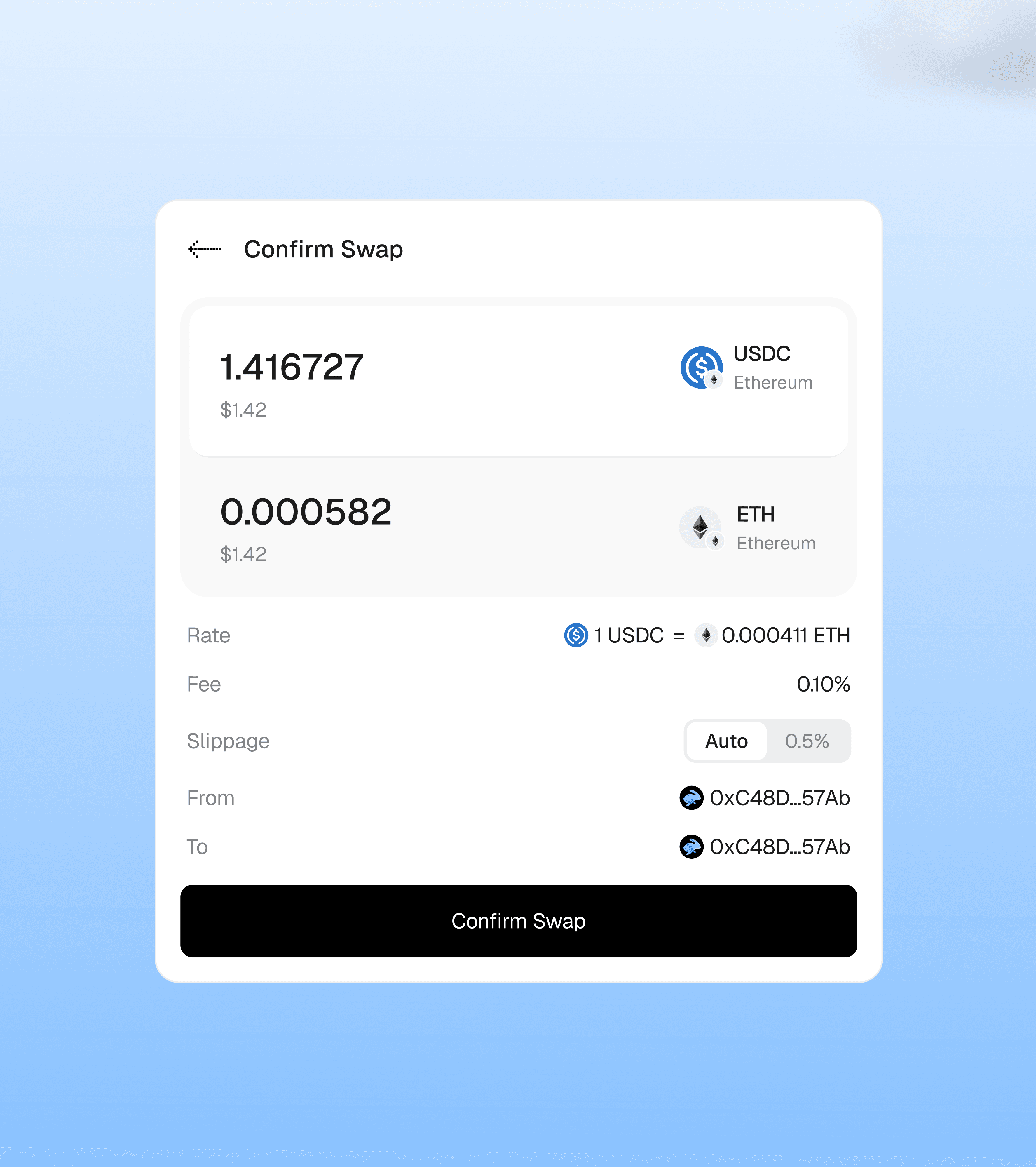
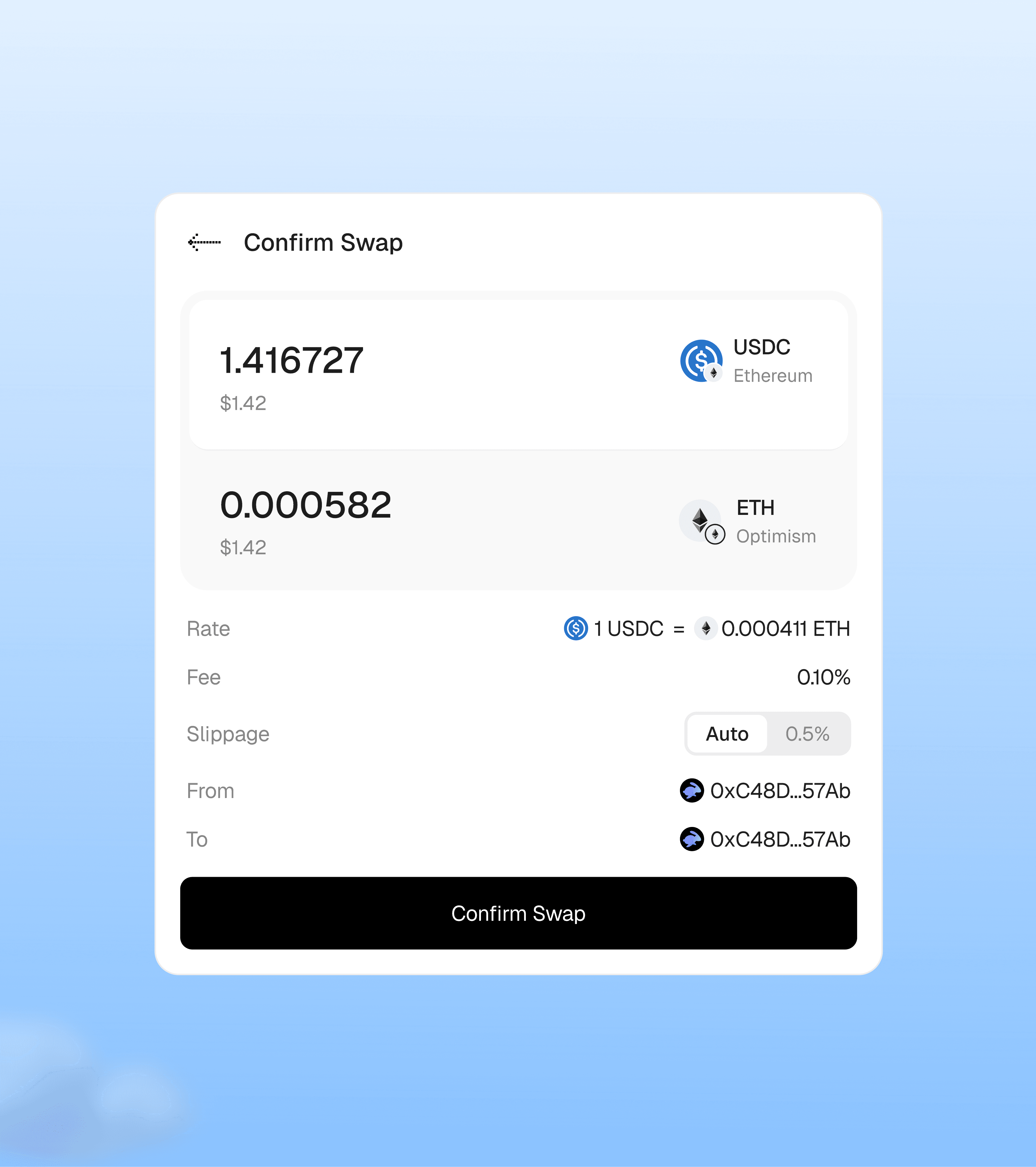
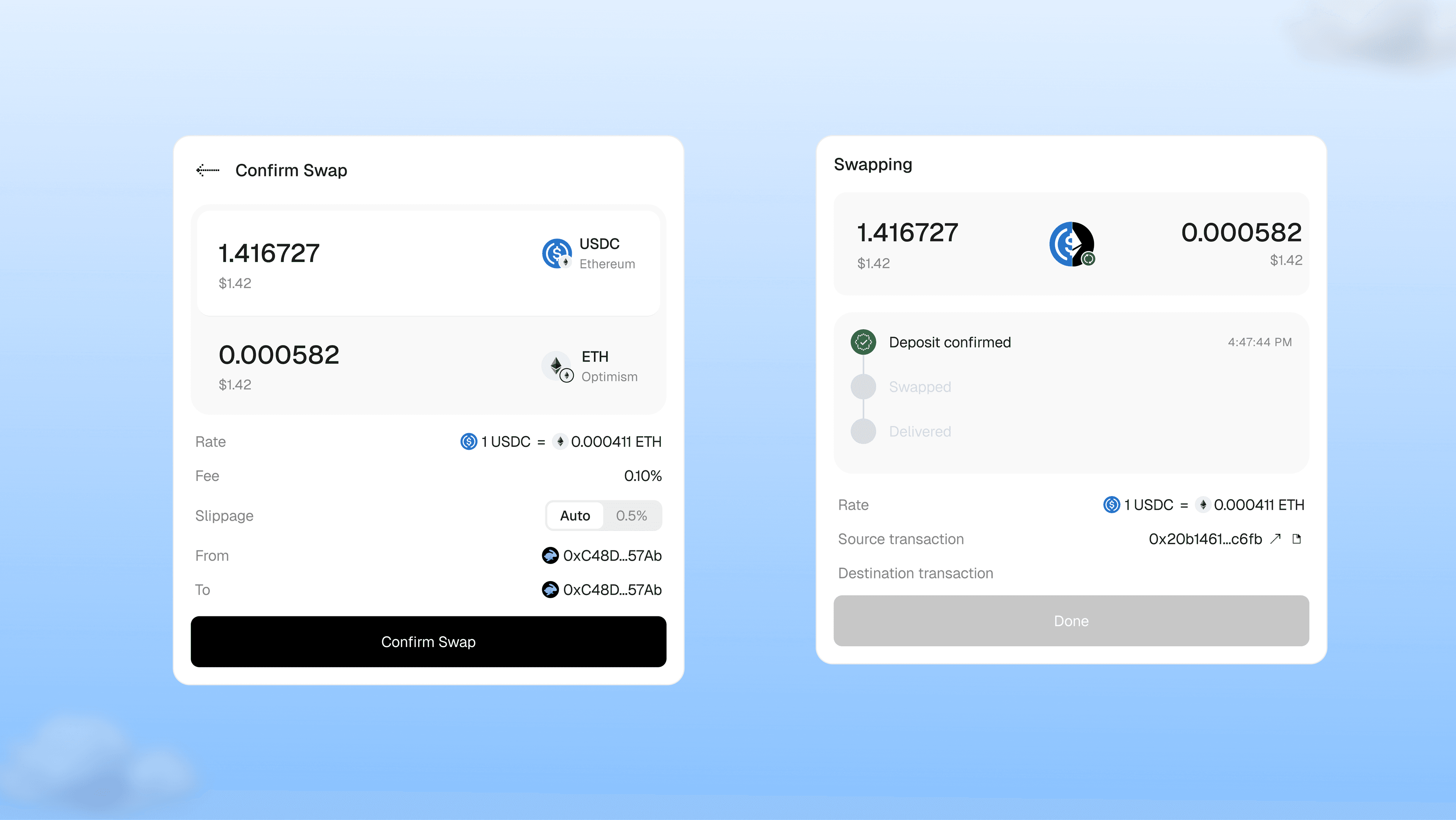
The confirm screen has just five rows
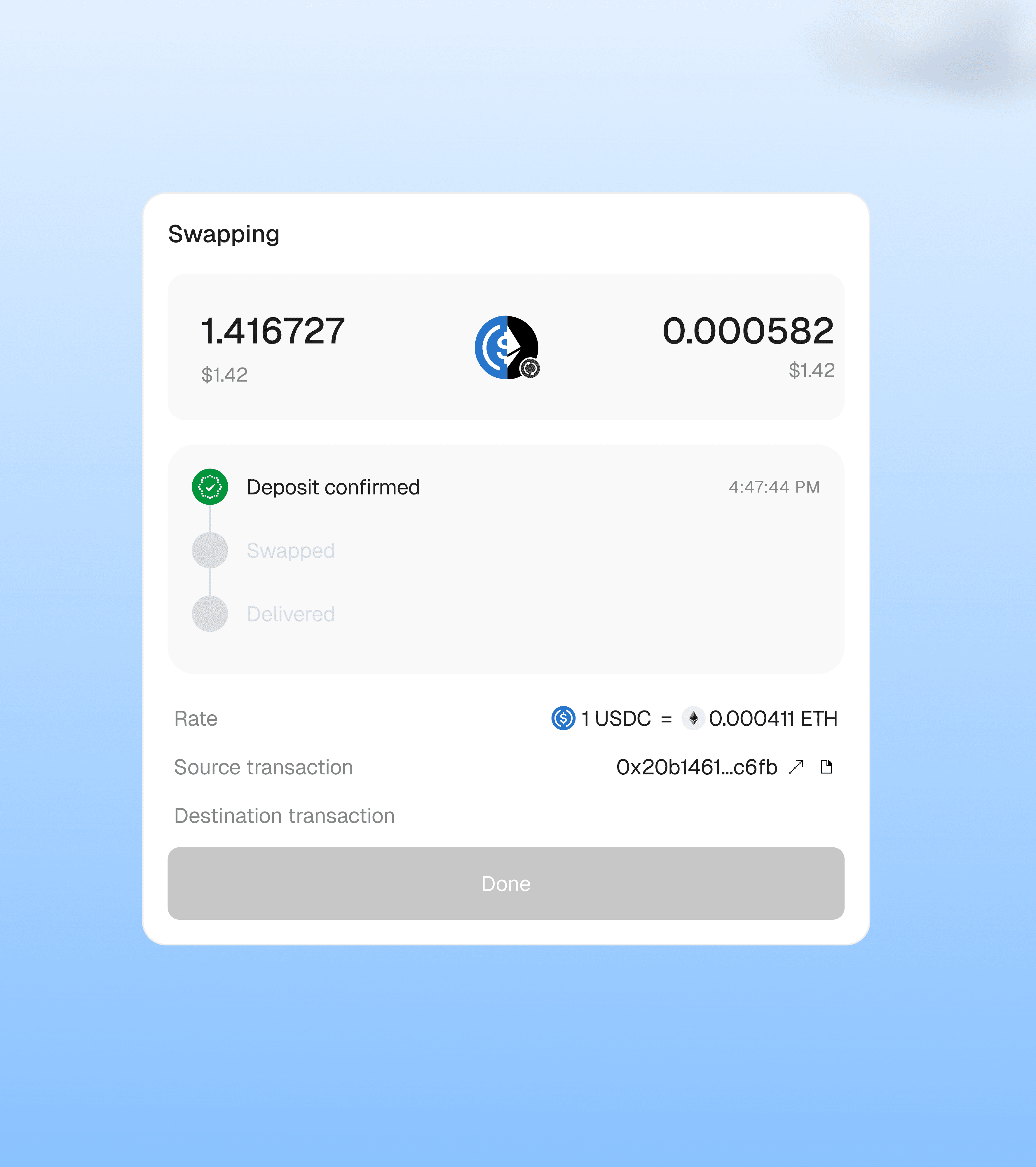
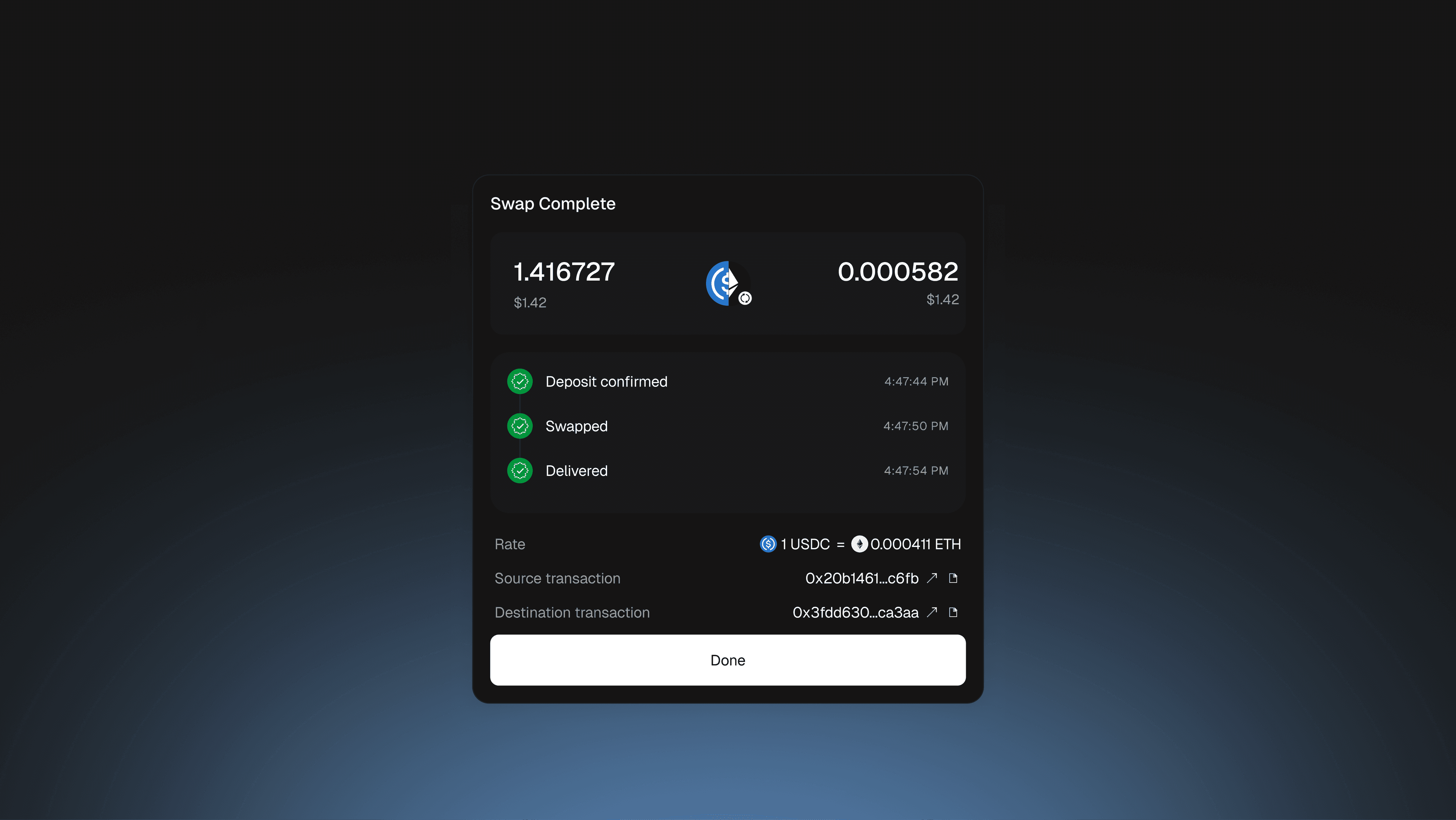
Signing is the tense moment, so the screen shows only the rate, fee, slippage and both wallets. After you sign, each step shows with its time, from deposit to delivery, with both transaction hashes.
Layer 6 · Explorer
Every detail is one link away
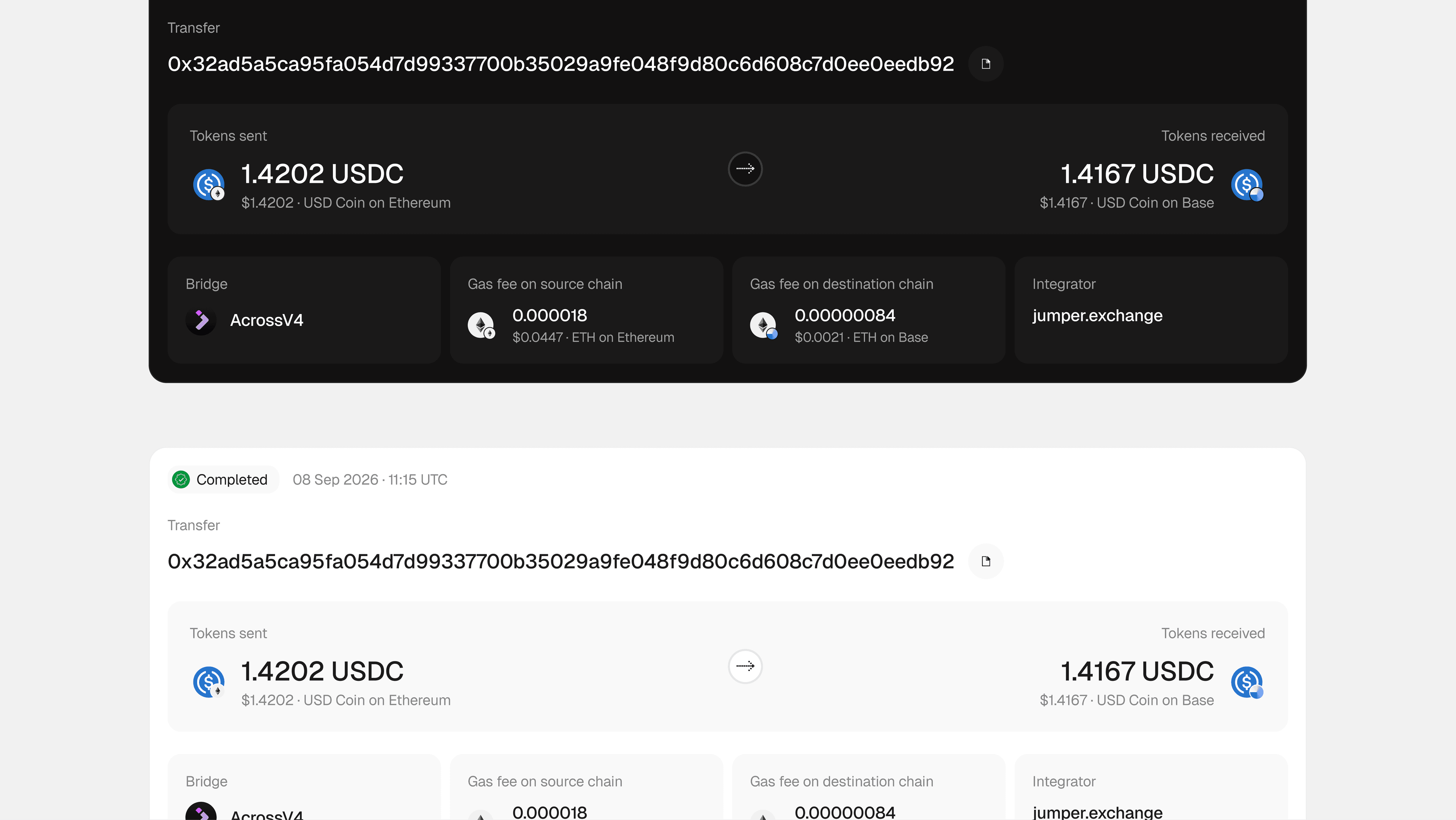
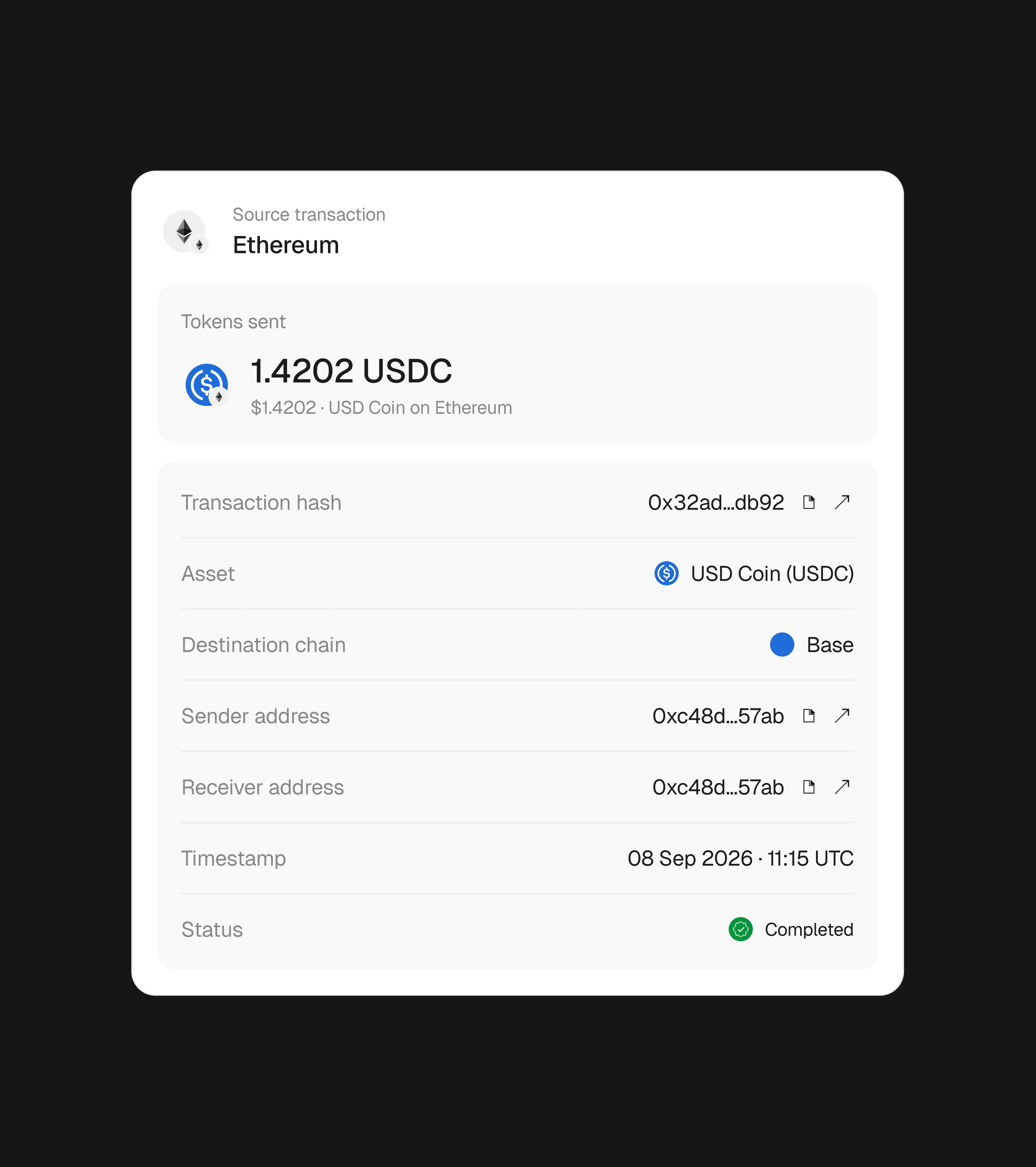
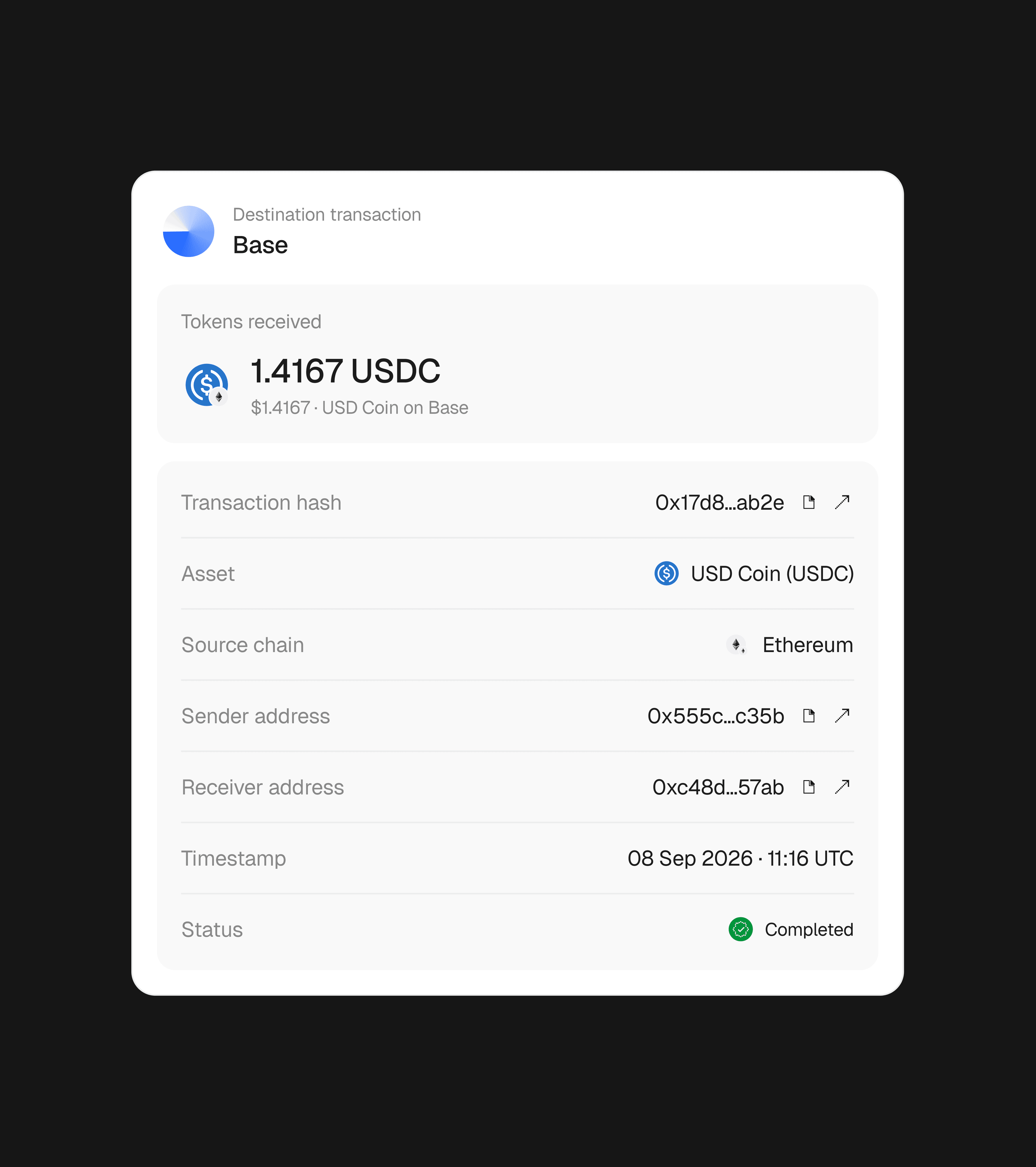
The completed screen links to the Hypermid explorer. It shows the whole transfer on one page: what you sent and received, the bridge, and gas on both chains. Each chain gets its own transaction, with its hash, addresses, time and status.
Production
I didn't hand off the widget. I shipped it.
I designed in Figma, then built the components myself with Claude Code and Codex, reading the designs straight from Figma through its MCP server. Every change went through a pull request the engineering manager reviewed.
Engineers now build new screens from the same components without waiting on design.
Website
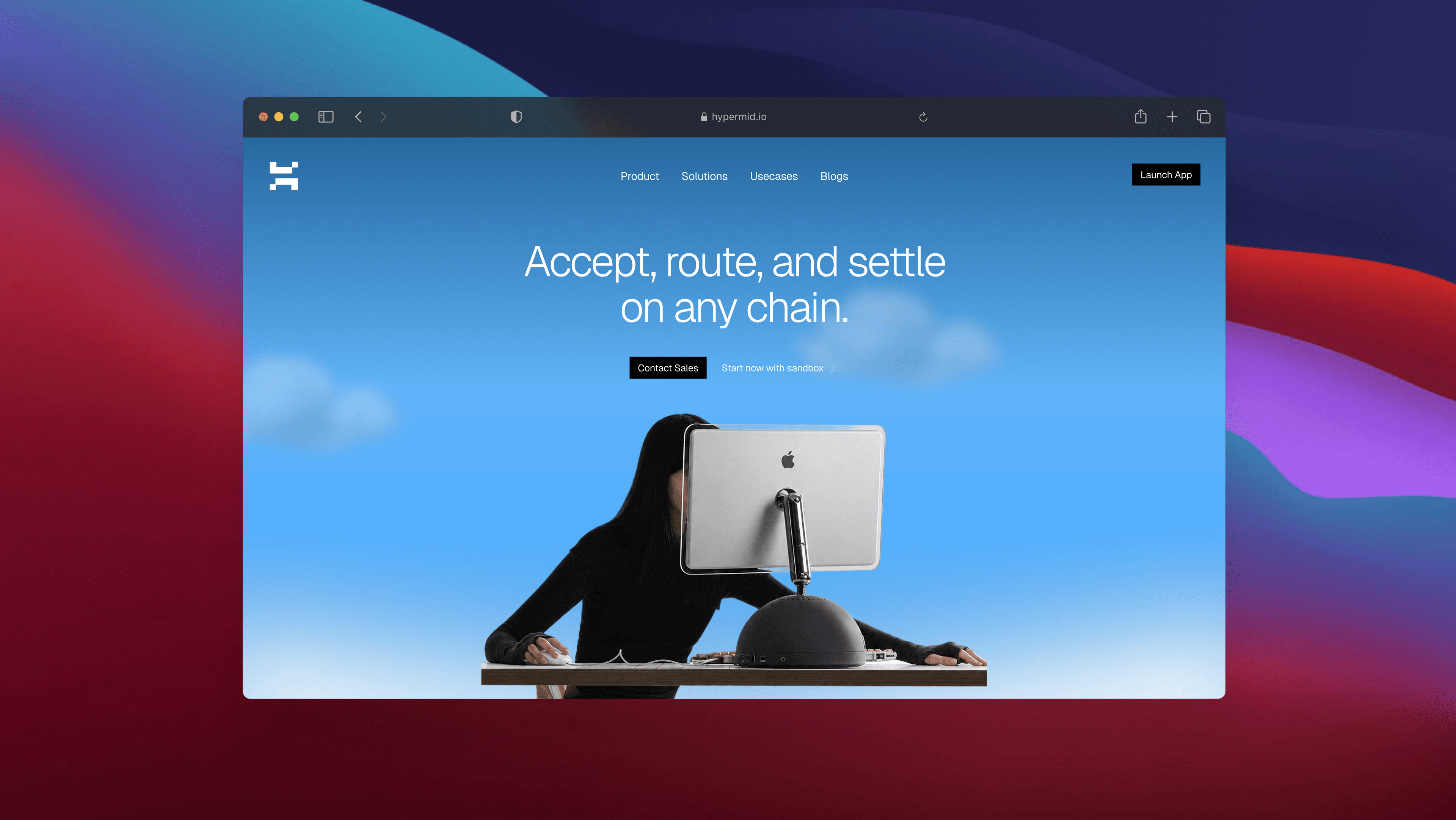
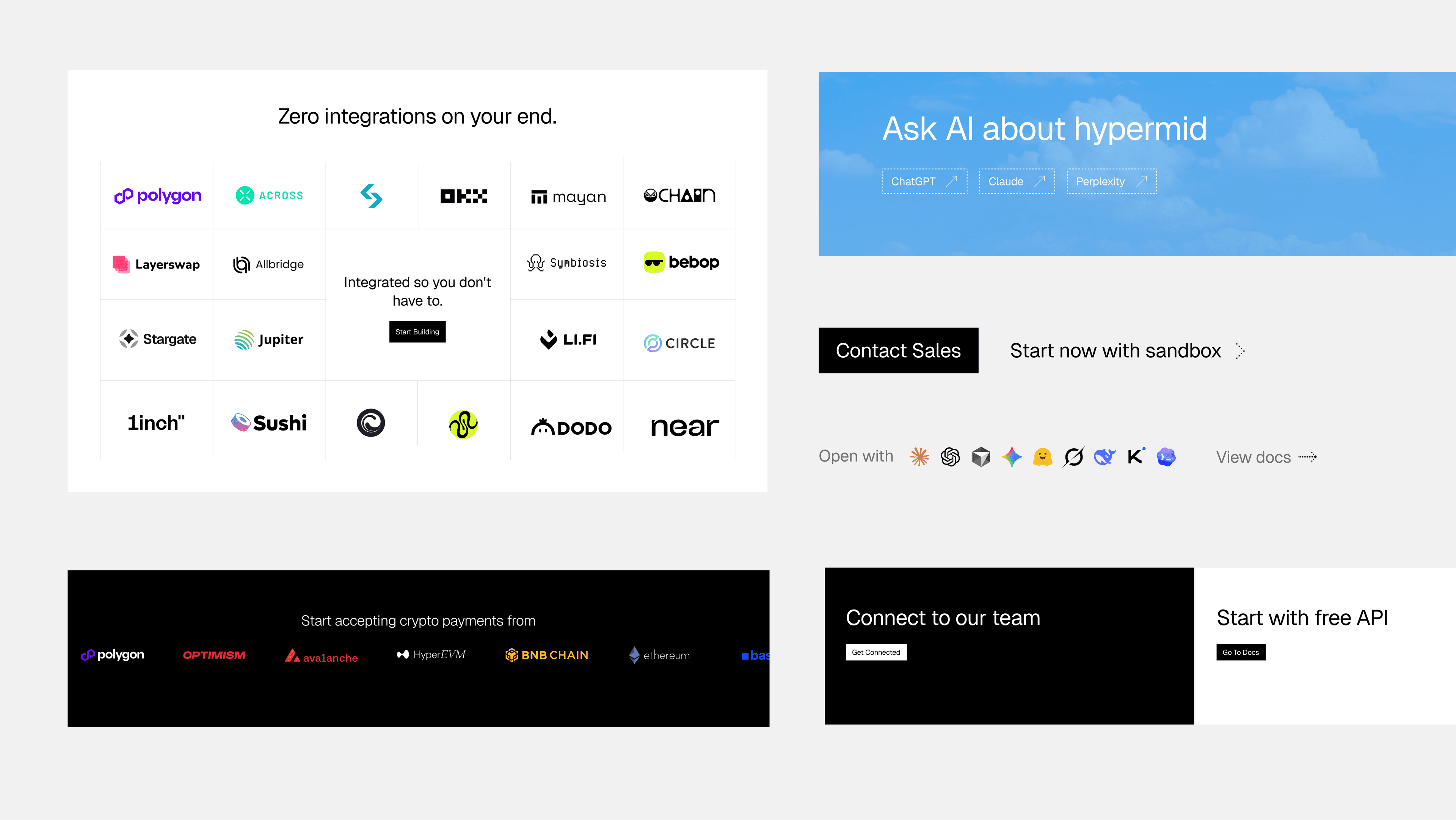
The website shares the same grid
I designed the website in the same identity: the grid, the sky and the type, so the widget and the site feel like one product.
What I learned
Most of the work was deciding what to leave out
Each layer shows what you need at that moment and leaves the rest for the next tap. More information doesn't build trust on its own; the right piece at the moment you need it does.
Next, the one swapping may be an AI agent. An agent needs the same layers, as data: amount, fee, time, value lost and a fallback. This is still in exploration.
Outcome
Live under partners' own brands
Partner names and numbers are under NDA, and I'm happy to talk through the details.
In production
The widget runs live, and I shipped its interface myself.
White-labelled
iGaming, Web3, e-commerce, swap and bridge, and NFT platforms carry it under their own brand.
One system
The brand, the widget and the website come from one grid.